
Ask other authors for help in the community
Read topics, start your own and reply to other authors on the Community screen in the Indie Author Toolchest, a members-only place to ask questions and share what works.
By the end of this guide you will have posted a question or an idea to other authors in the Toolchest and know how to answer theirs. It is a quick way to get a second opinion from people who publish their own books.
The Community screen is for authors on the Toolchest only. Readers cannot see it and it is not on any public page.
Open the Community screen
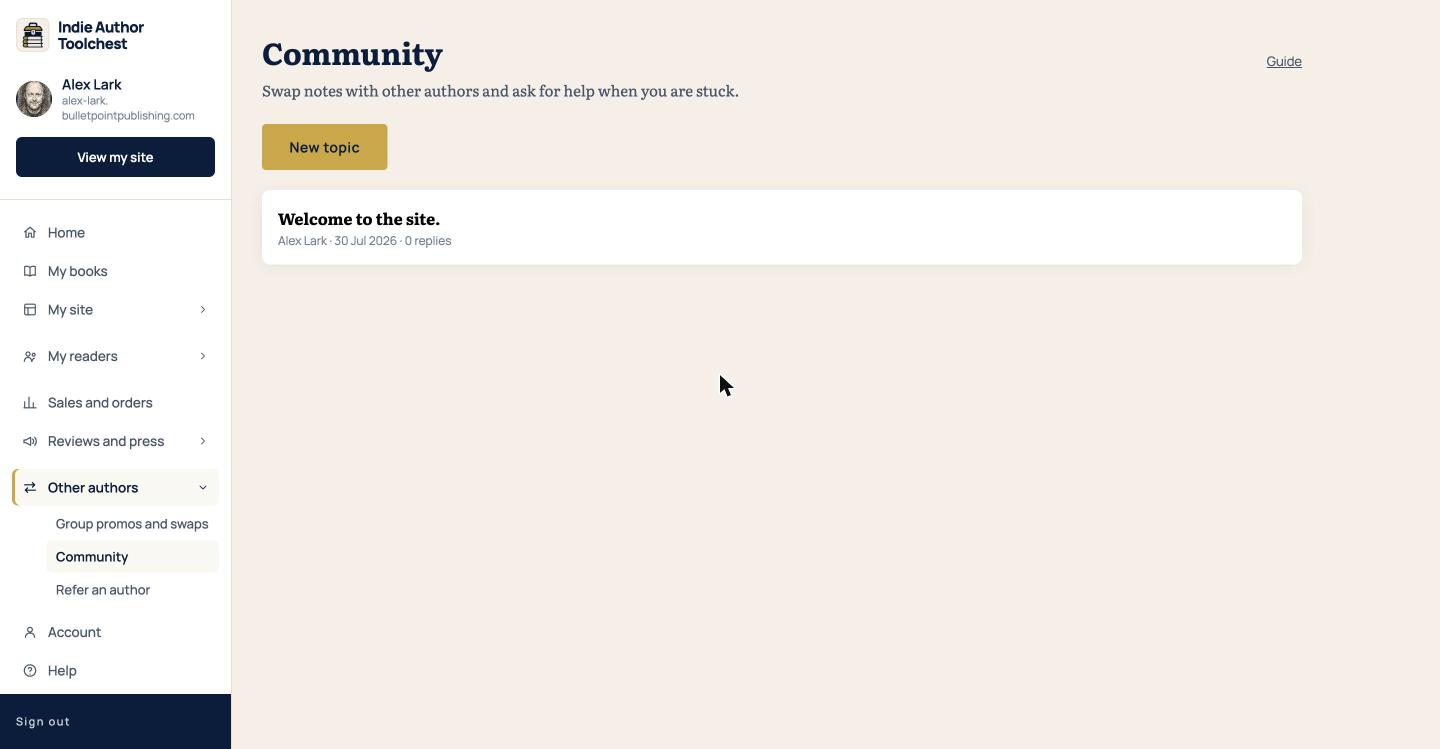
Select Other authors in the menu on the left, then Community. The page opens with a New topic button and the list of topics below it, newest first. Each topic shows who wrote it, the date and how many replies it has.
Read a topic and reply
- Select a topic in the list to open it. The text, and every reply so far, appear under it.
- Type your answer in the Write a reply box.
- Select Reply. Your reply is added to the end of the topic.
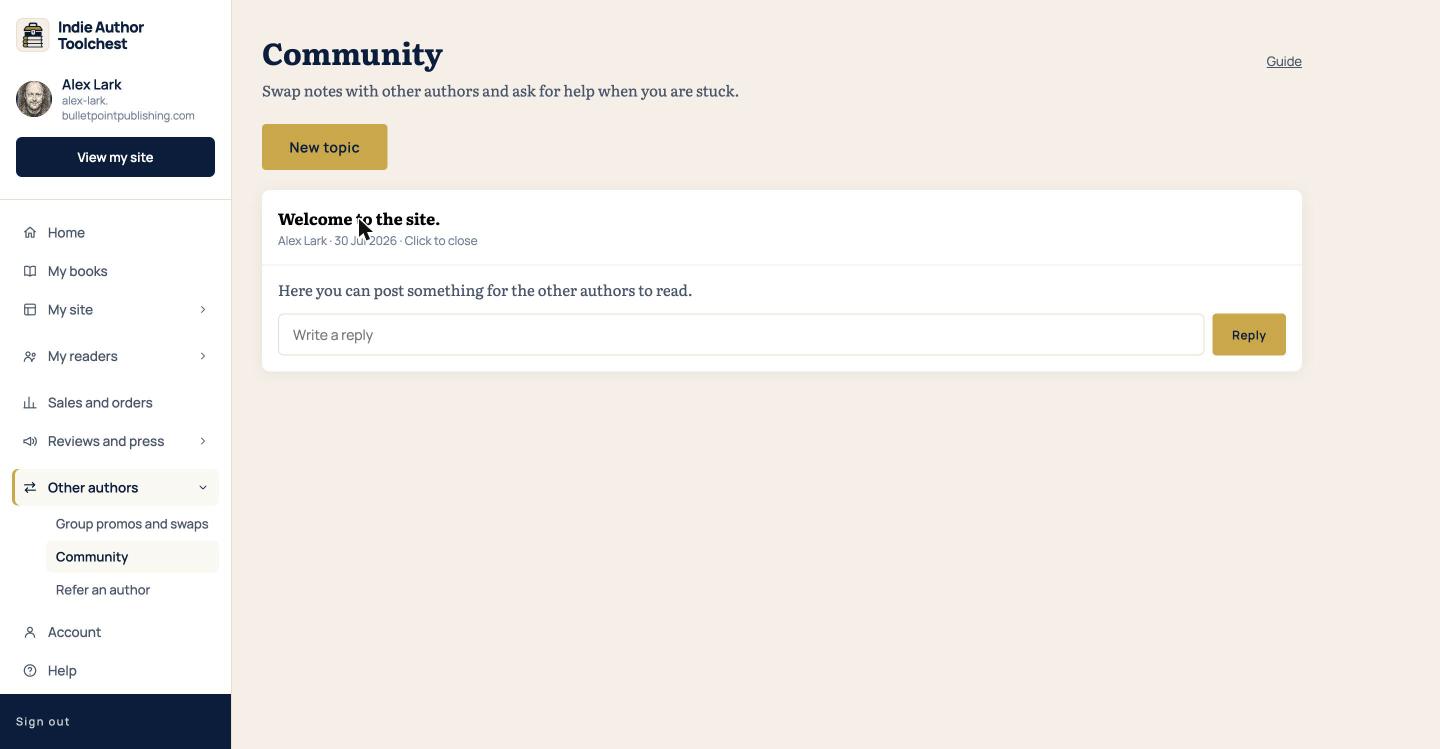
Select the topic again to close it. A topic you open shows its replies, so it is worth coming back to see whether anyone has answered.
Start a topic
- Select New topic.
- In Topic, write the title. It can be up to 200 characters, and the box suggests something like asking whether anyone is up for an October cosy crime promo.
- In Say more (optional), add the detail another author would need to answer you.
- Select Post. Select Cancel instead if you change your mind.
You can delete your own topics and replies with the Delete link beside them. Deleting a topic removes all of its replies as well.
Before you post
Everyone in Community is another author on the Toolchest, and your name appears beside each topic and reply. Write as you would to a colleague at a writing group, with enough detail that a stranger can picture your situation. A topic that says only that your sign-ups are low gets fewer answers than one that says how many sign-ups you have, where the link is shared and what you changed last.
What to post
A good topic asks one clear thing. Questions about a tool or a setting, a call for authors in your genre to swap newsletter mentions, a cover you are unsure about and a result you want to share all fit. Name your genre and what you have already tried, and the replies get more useful.
Community is also where you can agree the details of a group promo or newsletter swap with another author. The Group promos and swaps screen is locked until the Toolchest has 100 authors, and our lesson on newsletter swaps and group promos explains how they work in the meantime.
Check back now and then. Replies are added to the topic and the list shows each topic's reply count, so a topic you posted yesterday may have new answers today.
Next step
Post a short introduction with your genre and the book you are working on, and reply to one other topic. If you want more places to look, our list of resources for self-published authors has them.
You can try all of this free for 14 days. Start with the Indie Author Toolchest.
Run it all from one place
Author page, direct sales, reader list, review copies and press kit, built from one ASIN. Free for 14 days, no card.
Start your free trial