
Earn commission by referring an author
Copy your referral link from the Indie Author Toolchest, share it with another author and earn 20% of what they pay for their first 12 months.
By the end of this guide you will be able to find your personal referral link, share it with another author and read how much commission you have earned. When an author joins through your link and subscribes, you are paid 20% of what they pay.
Find your link
- Sign in and select Other authors in the menu on the left.
- Select Refer an author.
- Select Copy your link to copy your personal link.
- Paste the link into a message, an email or a post for another author.
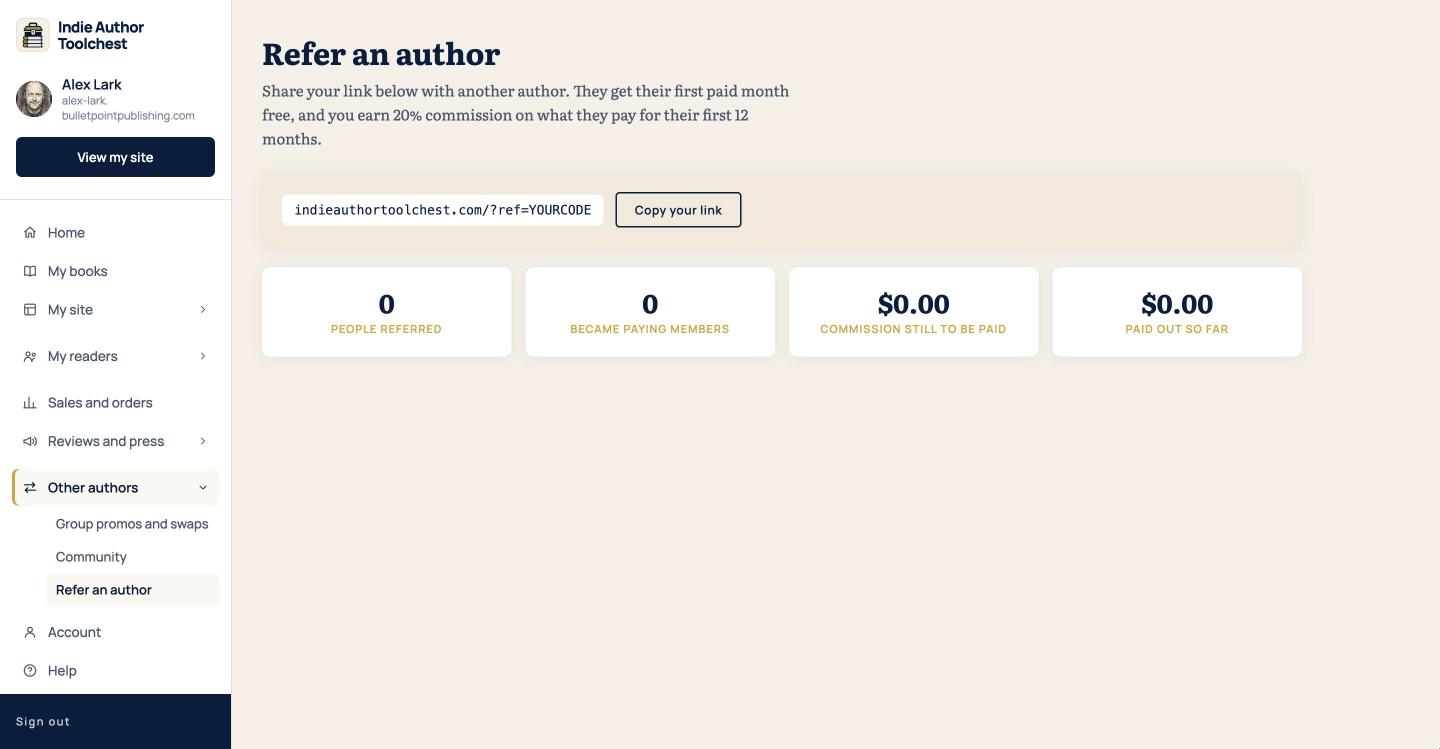
Your link is the address of the Indie Author Toolchest with your own code on the end. Every author has one from the day they sign up.
What the other author gets
The page says that an author who joins through your link gets their first paid month free. Remind them that the 14 day free trial needs no card, so they can look around before they decide. If they ask what the Toolchest replaces, our lesson on what a do-it-yourself author stack costs a year has the figures.
What you earn
When an author joins through your link and subscribes, you earn 20% of what they pay for their first 12 months. The membership is $12.99 a month or $120 a year, so the commission follows whichever plan they choose.
Your link is remembered in the other author's browser for 45 days. If they click it, leave and come back to sign up within that time, the referral still counts for you.
Read the four numbers
Four cards on the page keep count for you.
- People referred is the number of authors who signed up through your link.
- Became paying members is how many of them have subscribed.
- Commission still to be paid is what you have earned and not yet received.
- Paid out so far is what the Toolchest team has already paid you.
All four show 0 or $0.00 until someone signs up and subscribes. The figures in the screenshot come from an account with no referrals yet.
Tell us how to pay you
Commission is paid by the Toolchest team, and it needs your payment details first.
- Select Account in the menu.
- Find How we pay your referral commission.
- Choose a Payout method: Bank transfer, PayPal or Other.
- In Details, type your account name, sort code and account number, or your PayPal email address.
- Select Save.
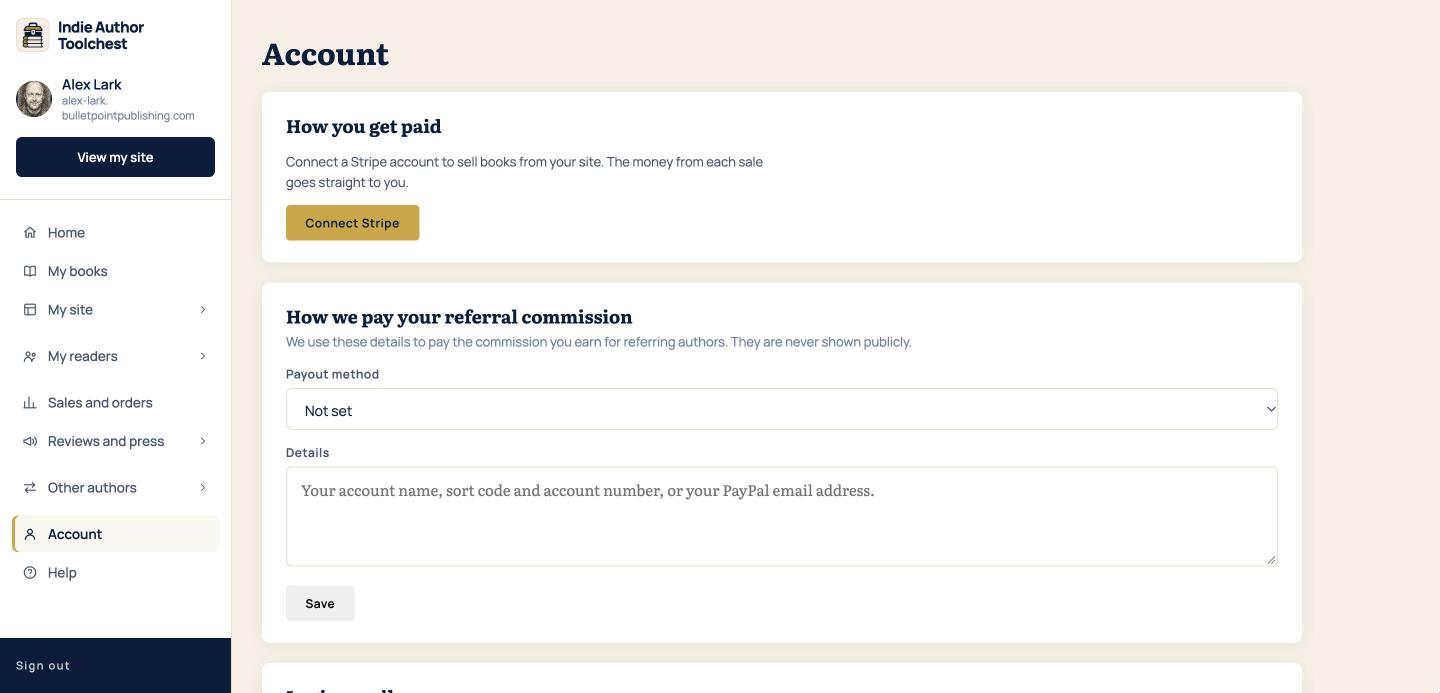
These details are never shown publicly. Commission is paid once you have earned $50. Until then it builds up under Commission still to be paid.
Good to know
The Connect Stripe button above the payout form is for selling your own books, and the money from those sales goes straight to your Stripe account. Referral commission is separate and is paid to the details you save under How we pay your referral commission.
Next step
While you are on the Account screen, you can also change the email address you log in with. Change your login email shows how.
You can try the Toolchest free for 14 days. See what the Indie Author Toolchest gives an author.
Run it all from one place
Author page, direct sales, reader list, review copies and press kit, built from one ASIN. Free for 14 days, no card.
Start your free trial