
Get help and send us a message in the Toolchest
Search the Indie Author Toolchest help articles, open the Guide link on any dashboard screen, and send a message to support. See where the reply arrives.
By the end of this guide you will be able to find an answer in the Toolchest help articles, open the guide for any dashboard screen, and send us a message when you are stuck.
Help is built into the dashboard, so you can look something up or ask without leaving the screen you are working on.
Search the help articles
- Choose Help at the bottom of the dashboard menu.
- Type a few words into Search how to do something. The list narrows as you type.
- Click an article title to open it in place. Click it again to close it.
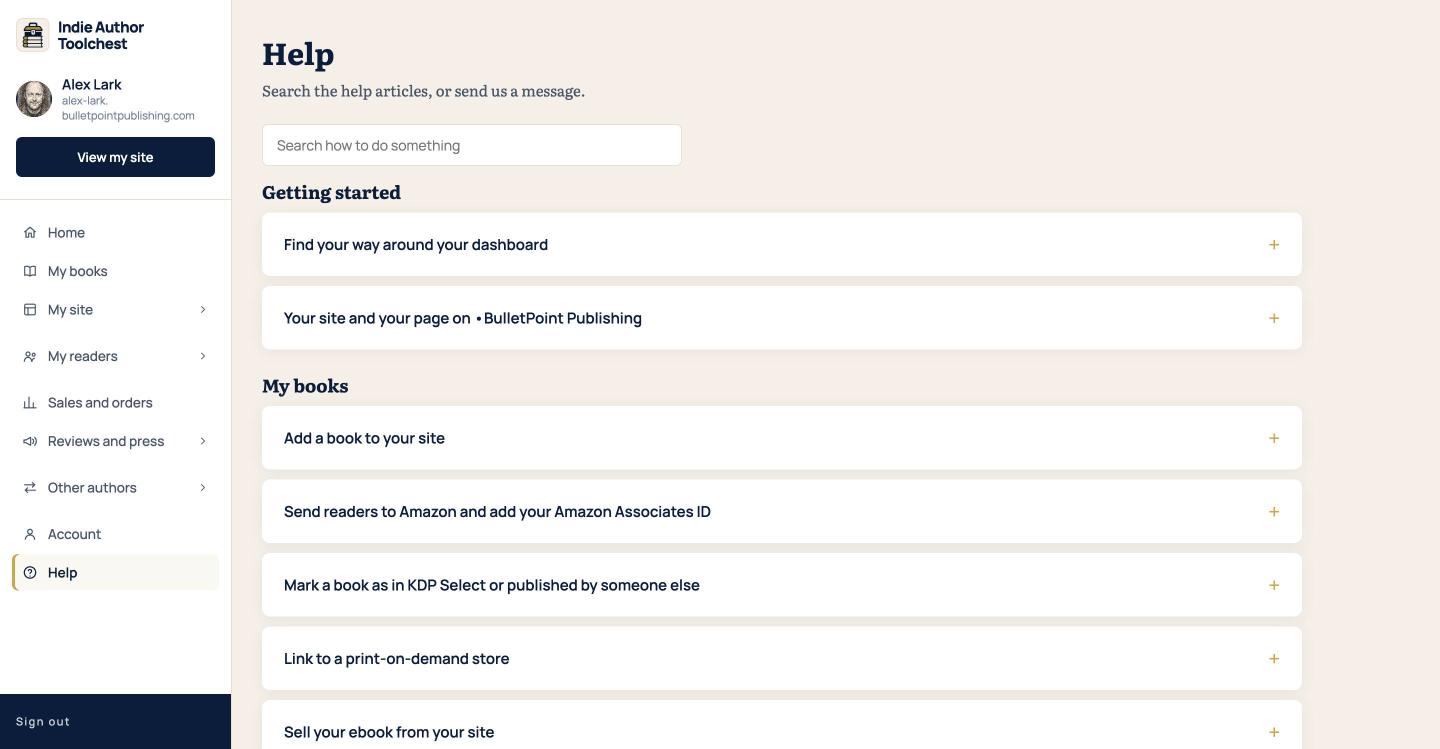
The articles are grouped under headings such as Getting started, My books, Billing and your trial and Account and help. If nothing matches, the screen says so and suggests different words or a message to us.
Open the guide for a screen
Most dashboard screens have a Guide link at the top right, level with the page heading. It opens in a new tab with the step-by-step guide for that screen, so your work stays where it is. The Help screen itself has no Guide link.
Send us a message
- On the Help screen, scroll to Still stuck?.
- Click Send us a message.
- Type what the message is about into What's it about?.
- Describe the problem in Details. Say which screen you were on and what you clicked.
- Click Send message.
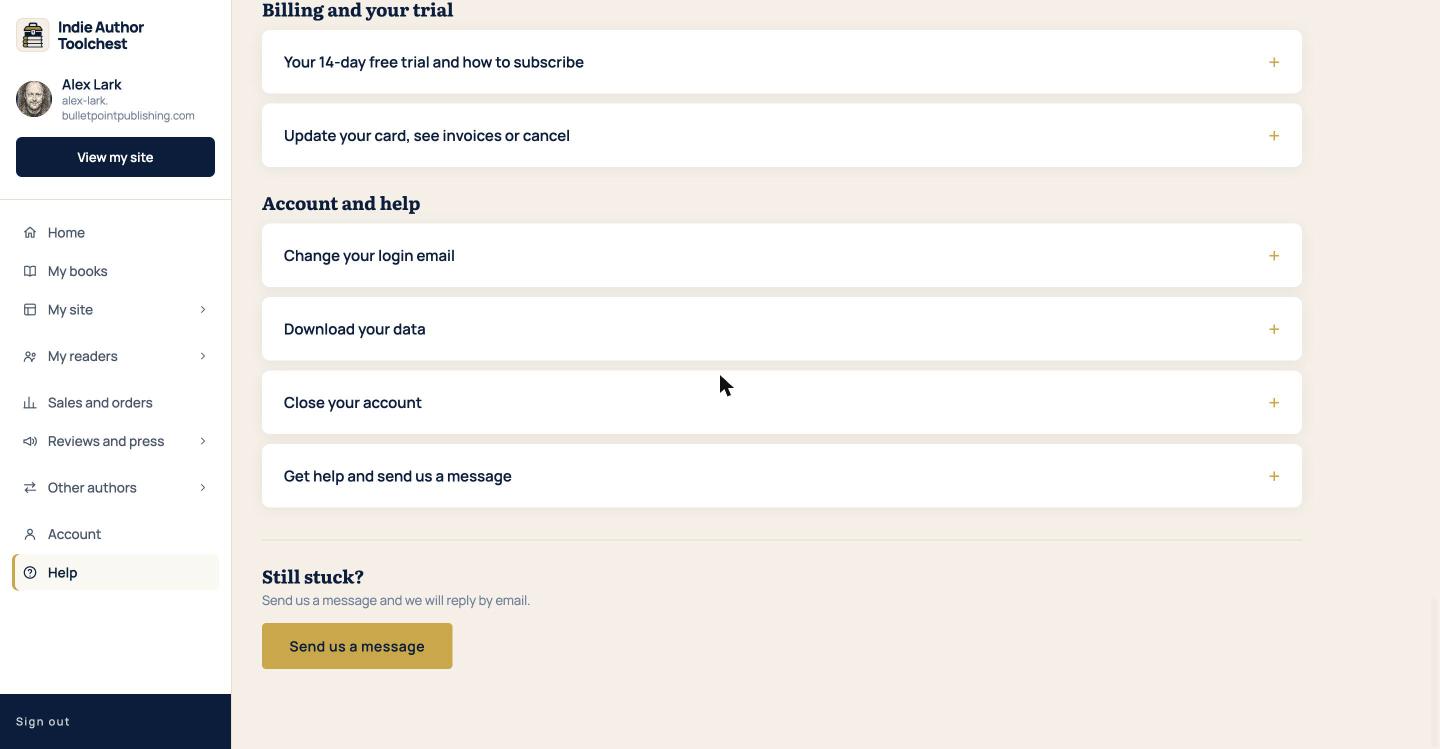
Your message opens as a conversation on its own screen, with your text in it.
Where the reply arrives
We reply by email to your login email, with a subject that starts Reply to your message. The same reply also appears in your dashboard. Go to Help and look under Your messages, where each message shows its subject, date and a status of Open, Answered or Sorted.
Click a message to read the whole conversation. Type your answer in Write a reply and click Send reply. A reply from you reopens the message if it was closed.
The public Help Centre
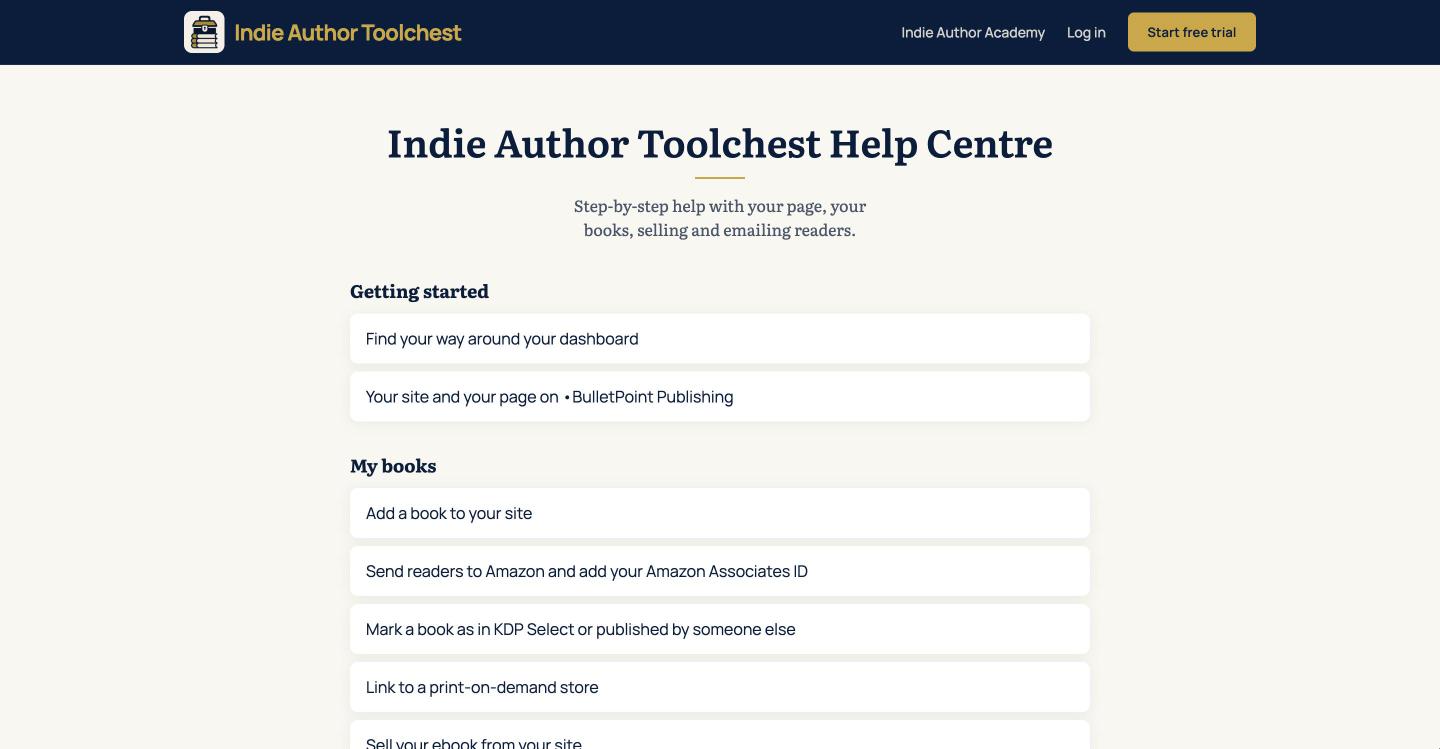
The same help articles are on the public Indie Author Toolchest Help Centre, at indieauthortoolchest.com/help. You can read them without logging in, so they are handy to share with another author who is deciding whether to join.
Good to know
- You can open up to 20 new messages a day and send up to 60 replies a day. Add to an open message rather than starting a new one for the same problem.
- You can send us a message even after your free trial has ended.
Your next step
If you would like a tour before you need help, find your way around your dashboard. For a list of other places authors learn, see resources for self-published authors.
You can try all of this free for 14 days, with no card: start at the Indie Author Toolchest.
Run it all from one place
Author page, direct sales, reader list, review copies and press kit, built from one ASIN. Free for 14 days, no card.
Start your free trial