
Link readers to their own Amazon store
Add a Buy on Amazon button in the Indie Author Toolchest that sends each reader to the Amazon store for their own country, and learn who earns the Associates commission.
By the end of this guide a book on your site will have a Buy on Amazon button that sends each reader to the Amazon store for their own country. You enter one code, and a reader in Leeds and a reader in Los Angeles each land on the right store.
You need the book's Amazon code, called an ASIN. It is the 10 characters under Product details on your book's Amazon page. Our lesson on KDP Select or going wide helps you decide which books to sell through Amazon.
Choose Sold via Amazon and enter the code
- Sign in and select My books in the menu on the left.
- Select Edit beside the book.
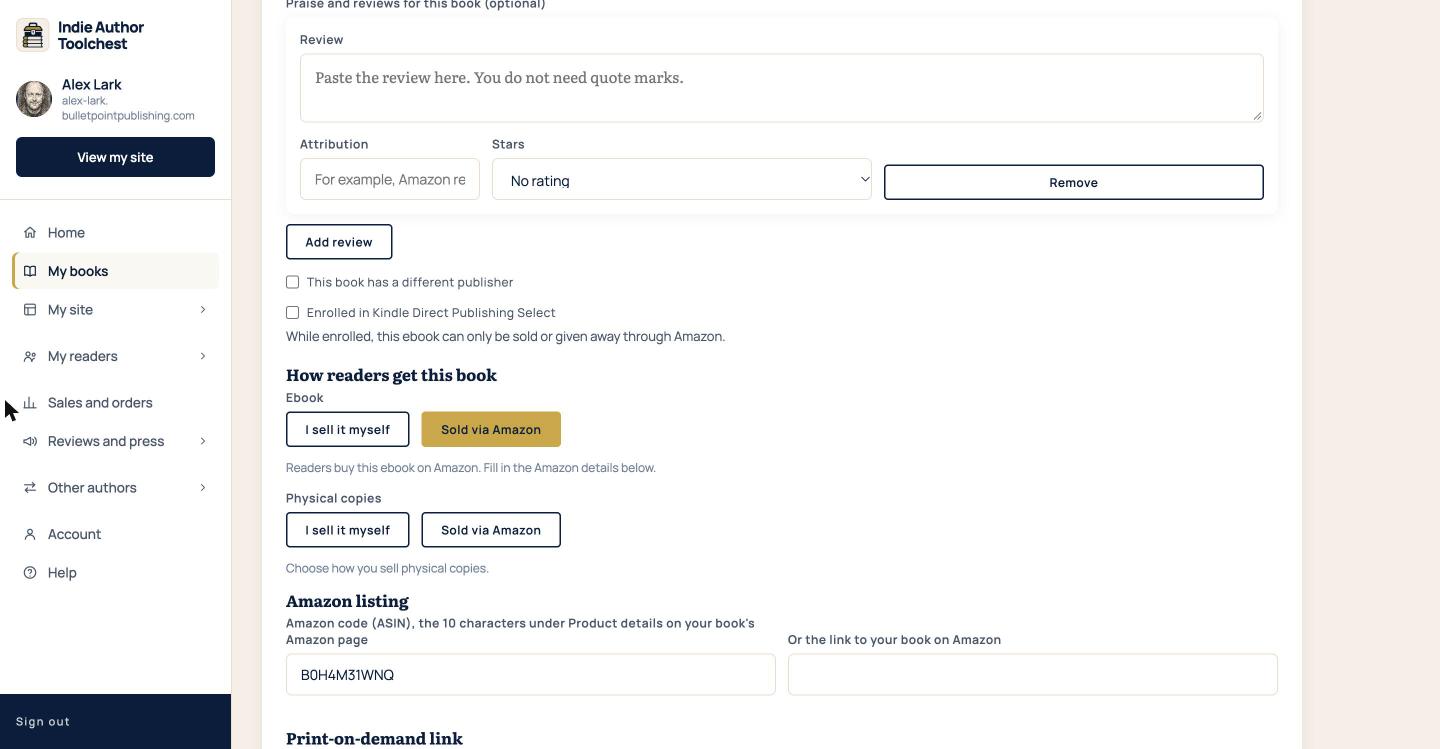
- Scroll down to How readers get this book.
- Under Ebook, select Sold via Amazon. Do the same under Physical copies if readers buy the paperback on Amazon too.
- In Amazon listing, type the code into Amazon code (ASIN), the 10 characters under Product details on your book's Amazon page.
- If you do not have the code, paste the web address of your book's Amazon page into Or the link to your book on Amazon instead.
- Select Save book.
What readers see
The book's page on your site now shows a Buy on Amazon button under the tagline.
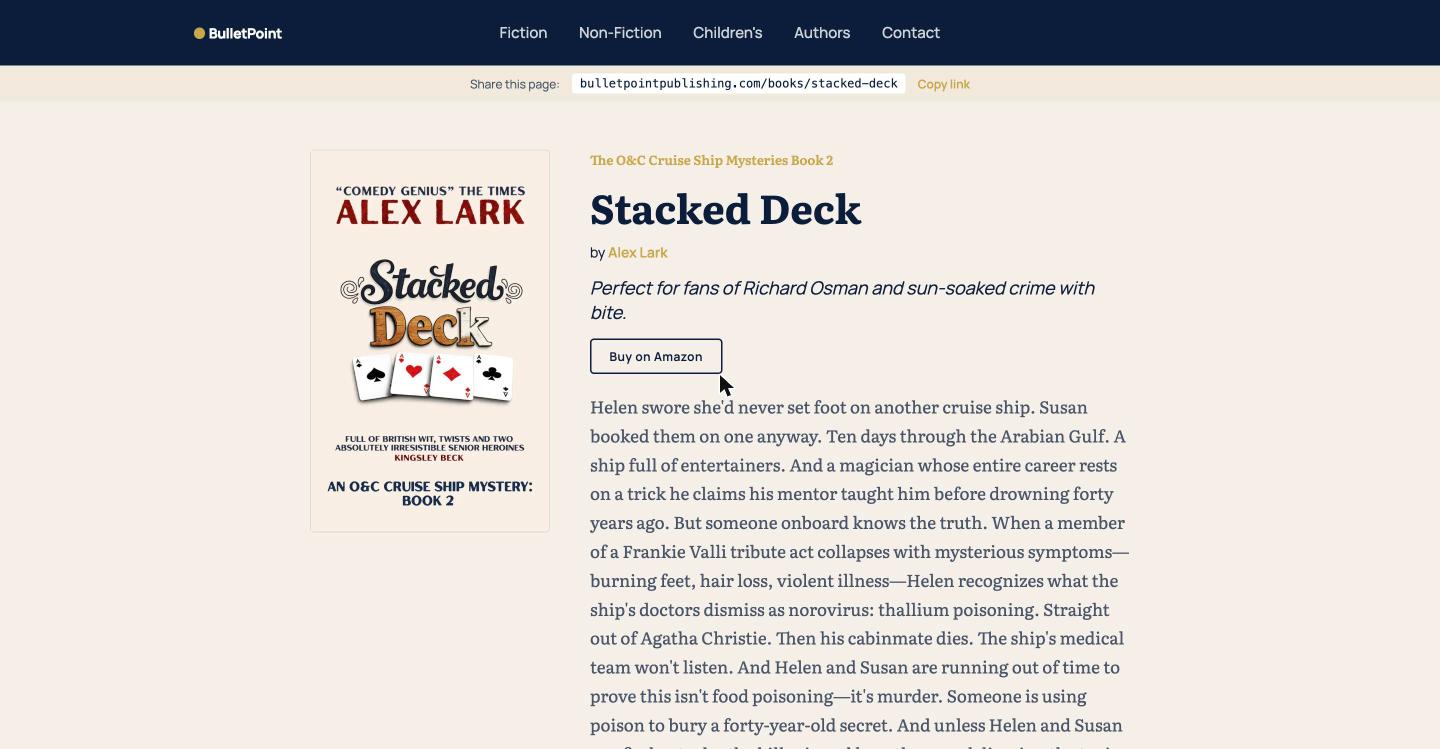
The button appears when you mark the ebook or the physical copy as Sold via Amazon. It also appears on a book that has no other way to buy it yet.
How the country is chosen
When a reader selects the button, the Toolchest checks which country they are visiting from and sends them to that country's Amazon store, opening your book by its code. If it cannot tell where the reader is, it uses the UK store.
These countries go to their own store:
- United Kingdom and Ireland: amazon.co.uk
- United States: amazon.com
- Germany and Austria: amazon.de
- France: amazon.fr
- Spain: amazon.es
- Italy: amazon.it
- Netherlands: amazon.nl
- Canada: amazon.ca
- Australia: amazon.com.au
- Japan: amazon.co.jp
- Brazil: amazon.com.br
- Mexico: amazon.com.mx
- India: amazon.in
- Sweden: amazon.se
- Poland: amazon.pl
Readers in any other country go to amazon.com. If you entered a web address instead of a code, every reader goes to that one address, wherever they are.
Add your Amazon Associates ID
An Amazon Associates ID is the tag that tells Amazon who sent a buyer. It decides who earns Amazon's referral commission on those purchases.
- Select My site, then Profile and design.
- Type your ID into Your Amazon Associates ID (optional).
- Select Save changes.
If you leave it empty, the Amazon links on your pages carry the Toolchest's Associates ID, so any commission on those purchases goes to the Toolchest. Once you add your own ID, the commission comes to you. The same ID goes on your table postcards.
Good to know
- A book you sell yourself shows its own buy button. Mark a format as Sold via Amazon only when readers should buy it there.
- If you choose Sold via Amazon and save with both Amazon boxes empty, the page has no button to show.
Next step
Add the other shops that stock your book by reading Link Apple Books, Kobo and other stores from your book page.
You can try all of this free for 14 days. Start with the Indie Author Toolchest.
Run it all from one place
Author page, direct sales, reader list, review copies and press kit, built from one ASIN. Free for 14 days, no card.
Start your free trial