
Your author website and your publisher page
Every Indie Author Toolchest author gets two public pages. Learn what your own site and your BulletPoint Publishing page are for, and which link to share where.
By the end of this guide you will know the address of both of your public pages, what each one is for and which link to put in your bio, your emails and your ads.
Every author in the Toolchest gets two public pages the moment their books and bio are in the dashboard. You build one of them and the other builds itself.
Find your own site
Your own site is the one you design. It lives at yourname.bulletpointpublishing.com, with your own name in place of yourname. Your theme, books, blog, events, reader magnet and contact form are all part of it.
- Open your dashboard. It starts on Home.
- Read the box headed Your site. Your address is the large line of text.
- Click View my site at the top of the menu to open it in a new tab.
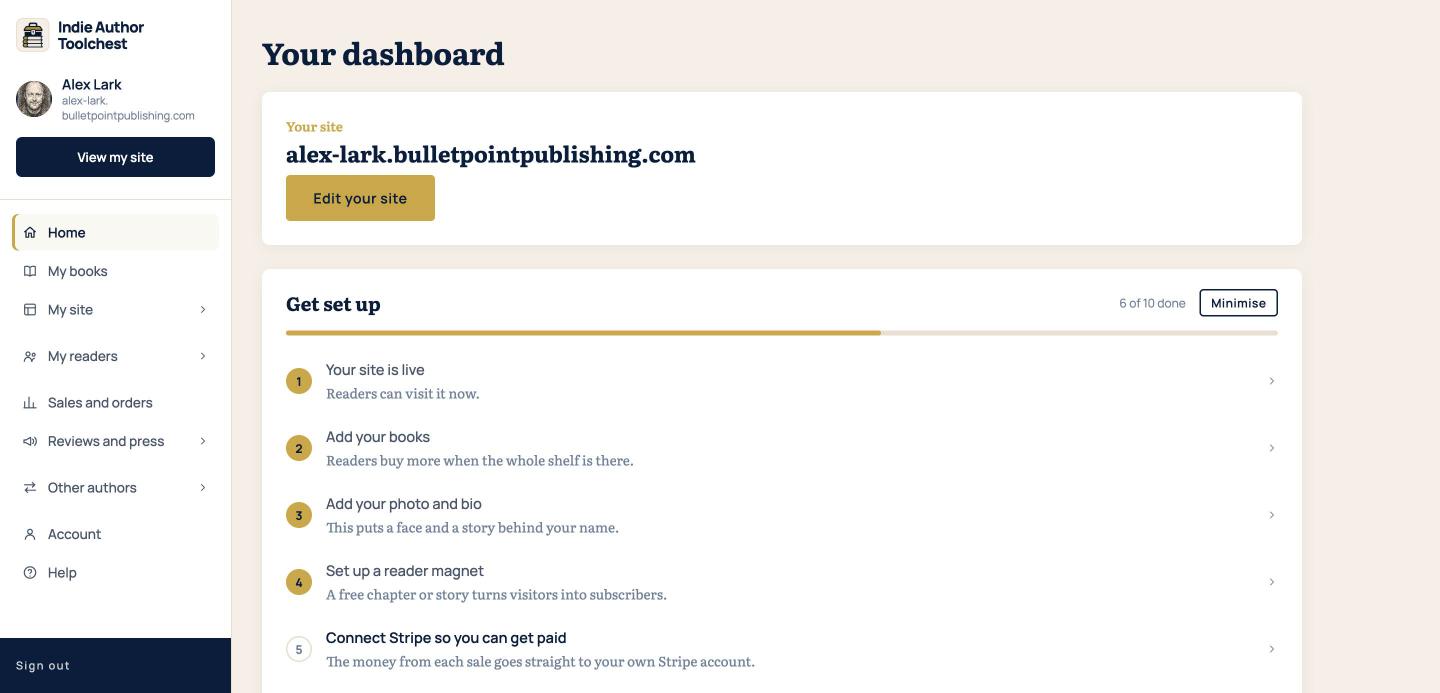
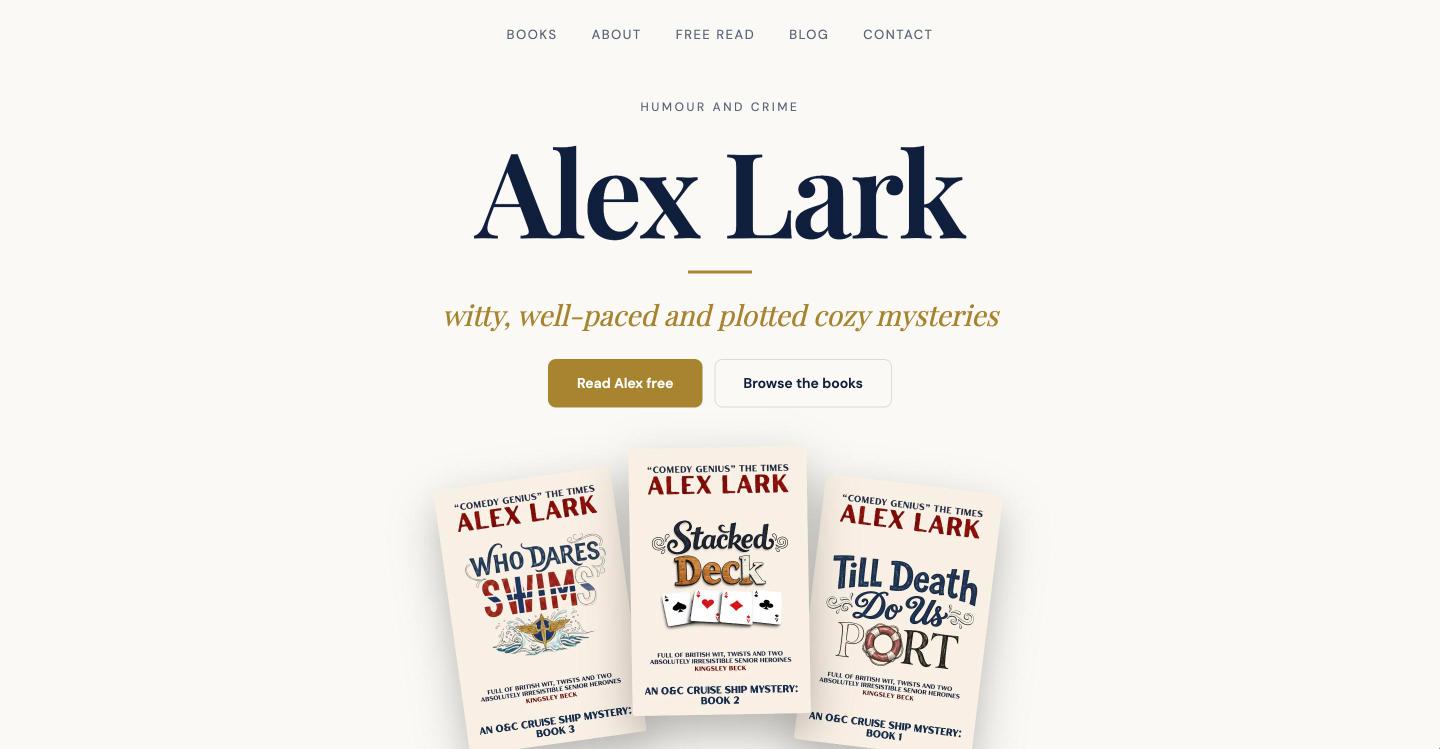
This is the address to use everywhere you point readers to you: your bio on social media, your email signature, your ads and the back pages of your books.
Find your publisher page
Your second page lives on the BulletPoint Publishing site at bulletpointpublishing.com/yourname. It lists you under the BulletPoint Publishing name, alongside the other authors, so readers browsing there can find you.
- Type your page address into a browser, using your own name after the slash. If your site address is alex-lark.bulletpointpublishing.com, the page is bulletpointpublishing.com/alex-lark.
- Look for the bar headed Share this page under the menu. It shows the address and a Copy link button.
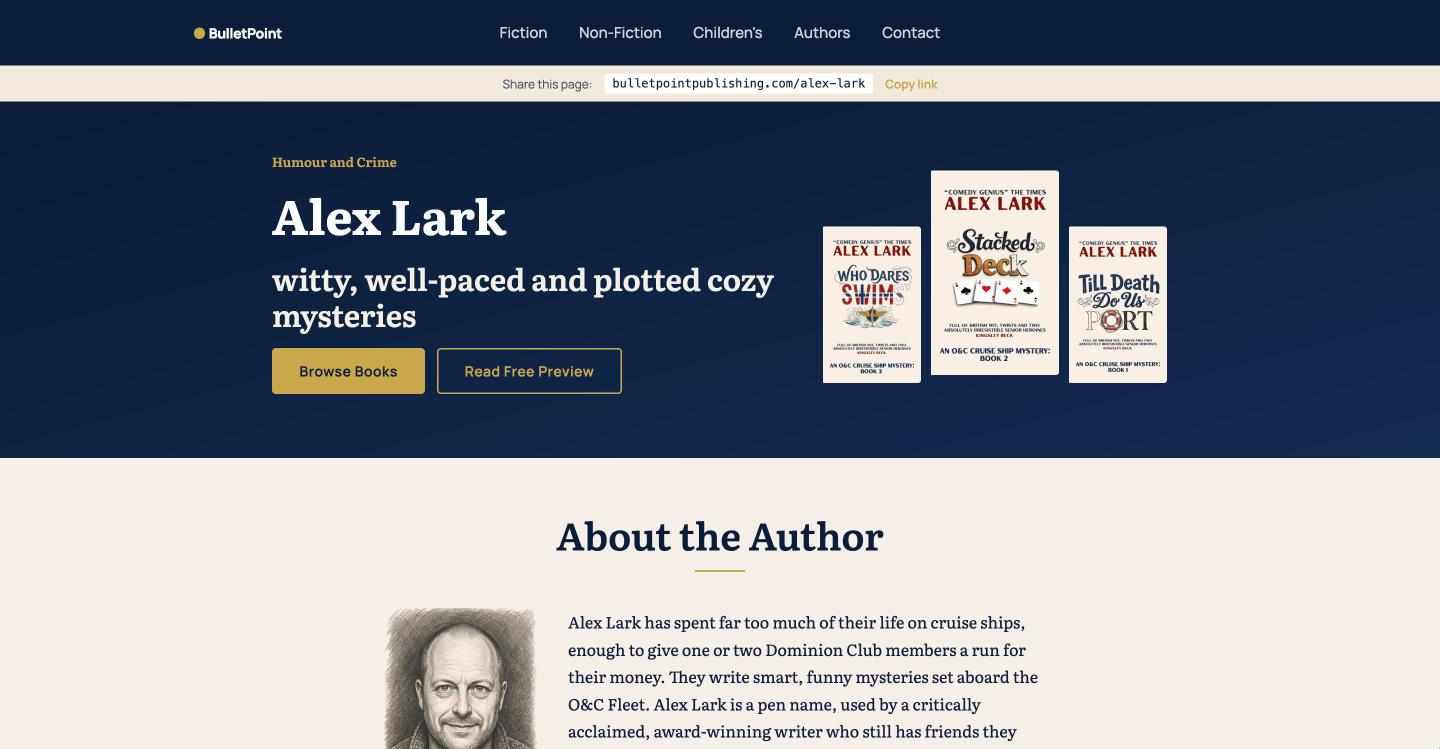
You do nothing to create this page. It shows the same books, bio and photo you enter in your dashboard, and it updates whenever you change them.
Which link to share where
- Share your own site address in your bio links, email signature, ads and anywhere a reader should see your design, your blog, your events and your free chapter.
- Share your publisher page when you want readers to see you listed under the BulletPoint Publishing name. Use Copy link on that page to copy its address.
If you are choosing what your site needs, our lesson on the six pages worth building lists them.
Neither page needs a separate login or a separate set of details. Add a book under My books or update your bio under Profile and design, and both pages show the change.
Good to know
- Changes can take up to five minutes to show on either page.
- While your 14-day free trial runs, both pages are public. If the trial ends and you have not subscribed, both pages go private.
- You edit your look, blog, events and reader magnet on your own site. Your publisher page has no settings of its own.
Your next step
Open My site, then Profile and design, and choose a look for your author website.
You can try all of this free for 14 days, with no card: start at the Indie Author Toolchest.
Run it all from one place
Author page, direct sales, reader list, review copies and press kit, built from one ASIN. Free for 14 days, no card.
Start your free trial