
Connect Stripe to get paid for direct book sales
Connect Stripe in the Toolchest so readers' payments for ebooks and paperbacks go straight to your own account. Every step is shown. Free for 14 days.
By the end of this guide you will have your own Stripe account connected to your Toolchest account, so the money from each ebook or paperback a reader buys on your site goes straight to you.
You connect Stripe once. Each payment is taken on your own Stripe account and Stripe pays it into your bank, so the Toolchest never holds your sales money. Selling the book yourself, with a price and an ebook file, switches on when you subscribe, and you can connect Stripe during your free trial so it is ready when you subscribe.
Open the Account page
- Click Account in the menu.
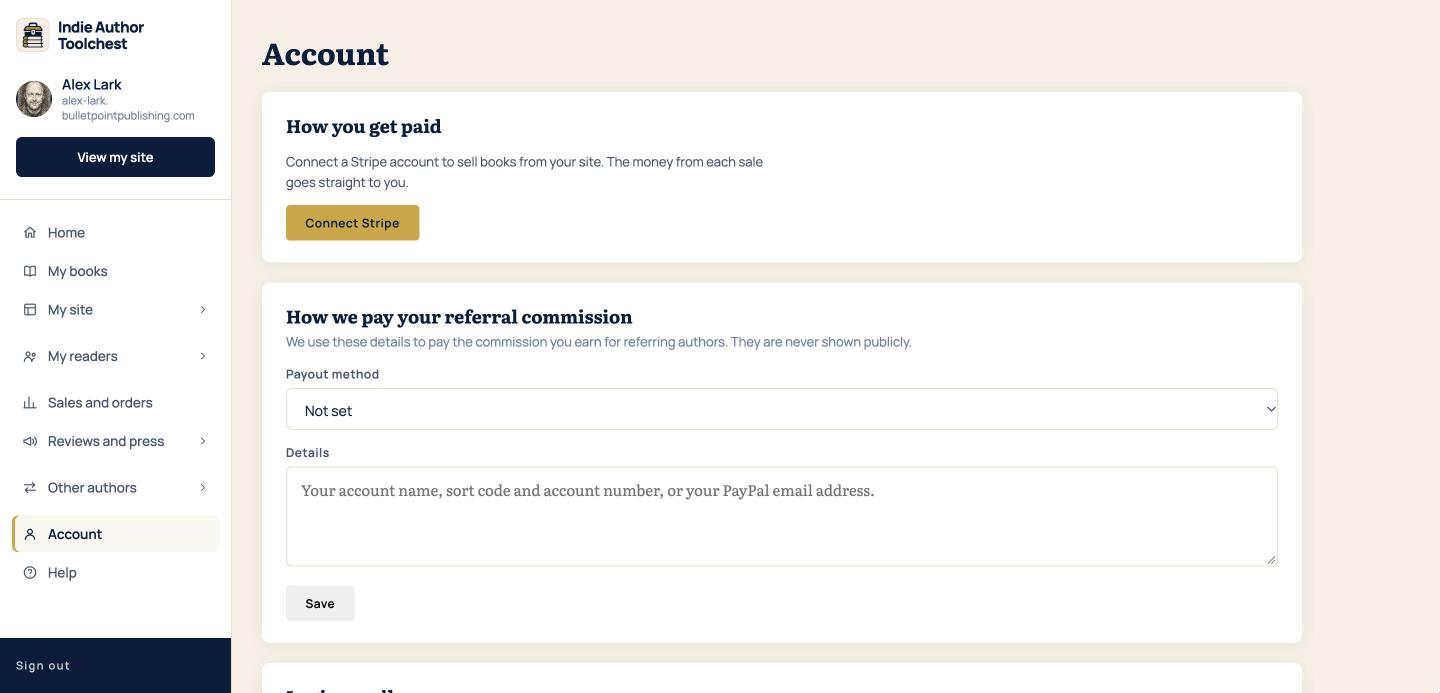
- Find the box called How you get paid at the top of the page and click Connect Stripe.
Fill in Stripe's form
The button takes you to Stripe's own pages, so you leave the Toolchest for a few minutes. Stripe asks you to create a login, then asks about you or your business and the bank account your payouts should go to. It may also ask you to verify your identity with a document. Stripe collects and keeps those details, and you choose the options that match how you are set up for tax.
- Answer each page of Stripe's form until Stripe says you are done.
- Return to the Toolchest when Stripe sends you back. You land on your Account page.
Check that it worked
The How you get paid box shows where you are.
- When the box says Stripe is connected, you are ready to sell. The Open Stripe button takes you to your Stripe dashboard.
- When the box says Stripe is checking your details, Stripe is still verifying you, which usually takes a day or two. Click Check again later, because readers cannot buy from you until Stripe finishes.
- When the button reads Finish connecting Stripe, you stopped partway through the form. Click it and carry on from where you left off.
Set a price on your book
- Click My books, then click Edit beside the book.
- Under How readers get this book, find Ebook and click I sell it myself.
- Fill in the Price on your page and choose the Currency, either USD or GBP. The lowest price is 0.30, and a card fee comes off each sale.
- Upload your EPUB, your PDF or both. Buyers get a download button for each one.
- Set the Status to Published and click Save book.
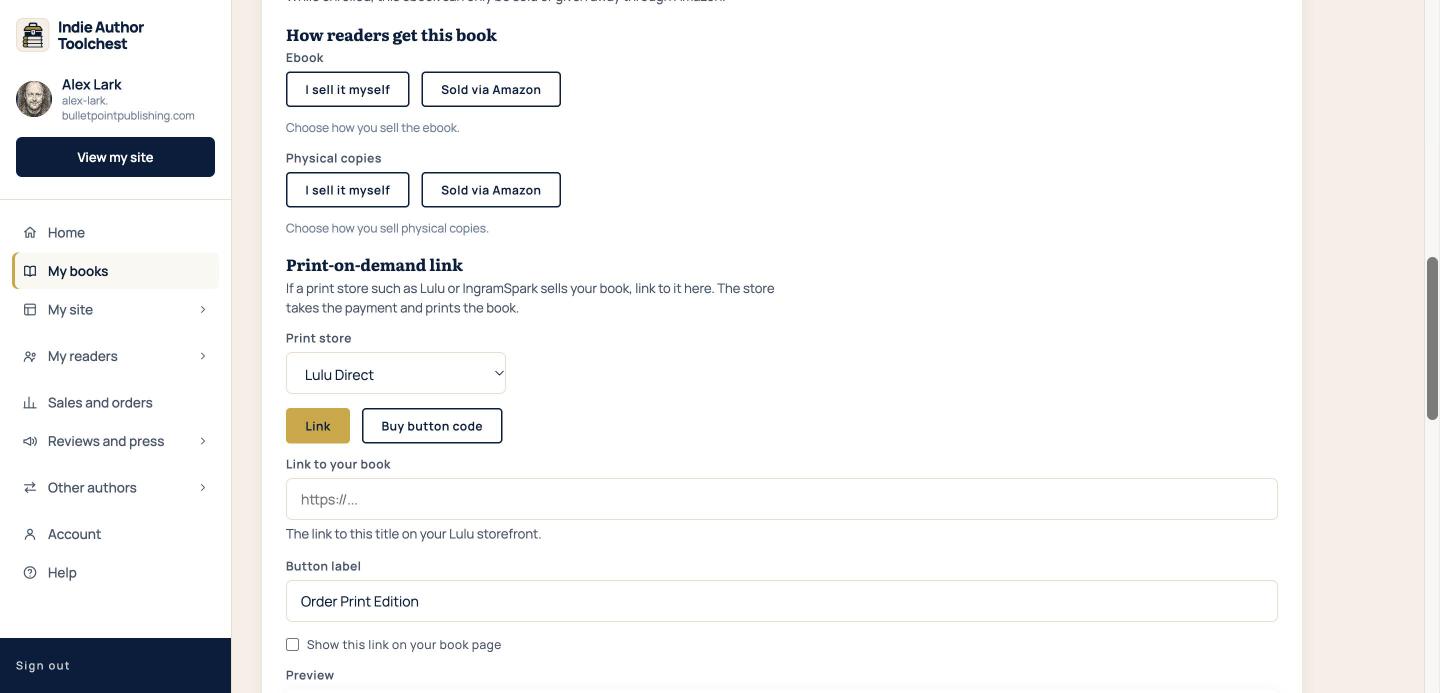
For a paperback, click I sell it myself under Physical copies instead, then fill in the Physical copy price and your Shipping options. You post each copy yourself, and every order arrives by email with the buyer's address. Our lesson on how to sell signed paperbacks direct from your own website covers the postage sums.
If the form asks you to connect Stripe
Until Stripe is connected, the book form shows a red message with a Connect Stripe link under the price, and it will not save a price. Click the link, finish the steps above, then come back and save the book.
If the ebook is enrolled in KDP Select, Amazon does not allow you to sell it from your own site. Read Selling direct while your book is in KDP Select before you set an ebook price.
What happens next
Each sale appears on your Sales and orders page, and the buyer gets their download or you get their address to post to. Our guide to seeing your book sales and refunding a reader shows that page, and Stripe's guide to payouts explains when the money reaches your bank. To see what a direct sale pays against Amazon, read what you keep on a £4.99 ebook sold direct.
Questions, answered
Do I need a Stripe account before I click Connect Stripe?
Stripe's form creates your account as you go, so you can start without one. Stripe asks you to set up a login on its own pages.
When does Stripe pay me?
Stripe pays your sales into the bank account you gave it, on the schedule set for your account. The first payout can take longer than later ones, and your Stripe dashboard shows the dates.
What does Stripe charge?
Stripe takes a card fee from each sale, and the Sales and orders page shows what the fees came to. Check Stripe's own pricing page for the current rates in your country.
The box says Stripe is checking my details. What do I do?
Stripe emails you if it needs something more from you, such as a document. Otherwise, click Check again after a day or two.