
Selling direct while your book is in KDP Select
What the KDP Select tick box on your book does in the Indie Author Toolchest, which warning it adds to Codes for events, and what you still switch off yourself.
By the end of this guide you will know what the KDP Select tick box on your book does in the Indie Author Toolchest, and how to use it so you do not hand out an ebook file Amazon asks you to keep exclusive. It is a reminder that goes with your book, and it lets you keep your site and your codes in line with your Amazon enrolment.
The reason is Amazon's rule. As our lesson on KDP Select exclusivity sets out, while a book is enrolled in KDP Select you cannot sell or give away that ebook from your own website. Print, audio and review copies are treated differently, and the lesson covers each. If you are still deciding whether to enrol a book, our lesson on KDP Select or going wide helps you decide book by book.
Mark a book as enrolled
- Sign in, select My books, then select Edit next to the book that is in KDP Select.
- Scroll to the boxes below the blurb and praise, and tick Enrolled in Kindle Direct Publishing Select.
- Select Save book at the bottom of the form.
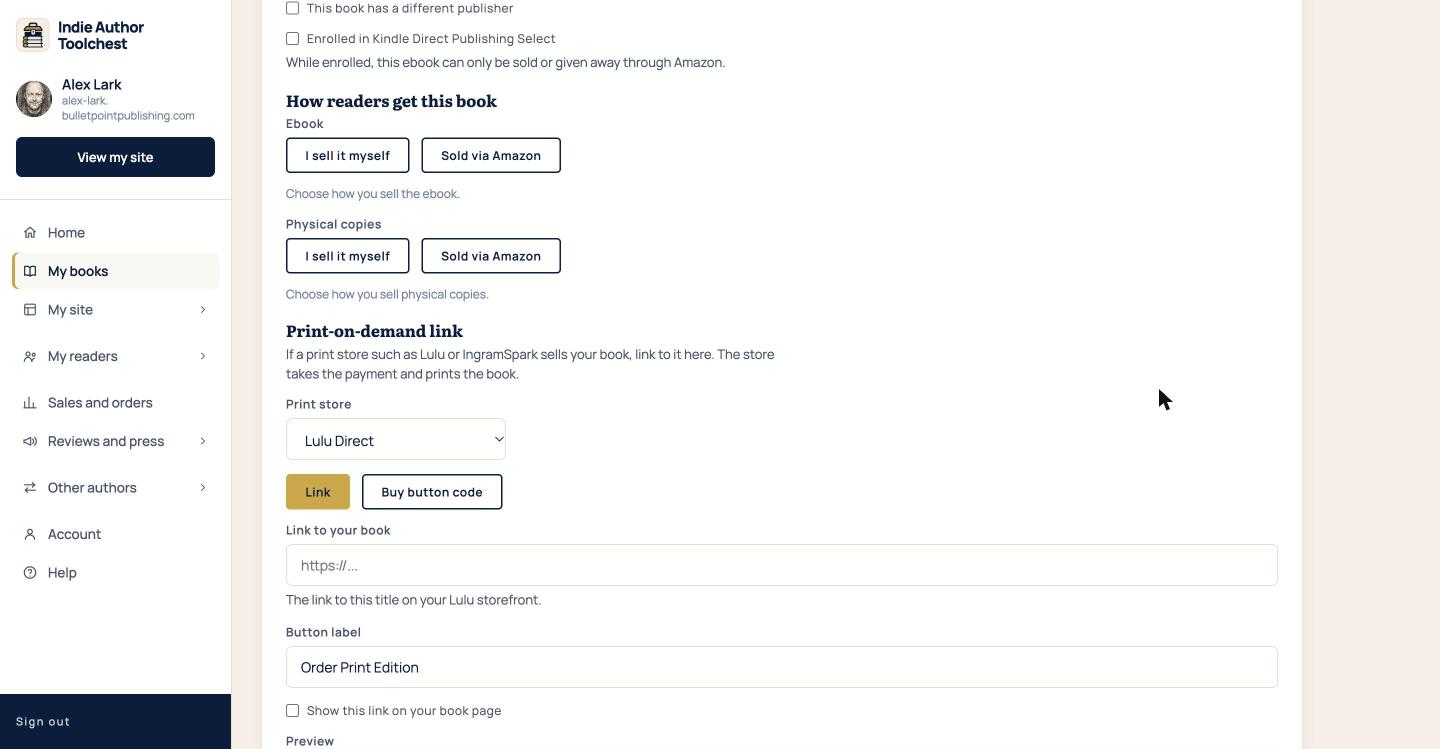
Tick it for each book you have enrolled. KDP Select works one book at a time, and so does the tick box, so your other books are not affected.
What the tick box changes
The tick box adds a warning to Codes for events, which is under Reviews and press in the menu. On that page each book has its own table of codes. For a book marked as enrolled, a warning box appears above its codes. It tells you that while the book is enrolled you can only sell or give away the ebook file through Amazon, that these codes hand out the file directly, and that you should use the table postcards below instead.
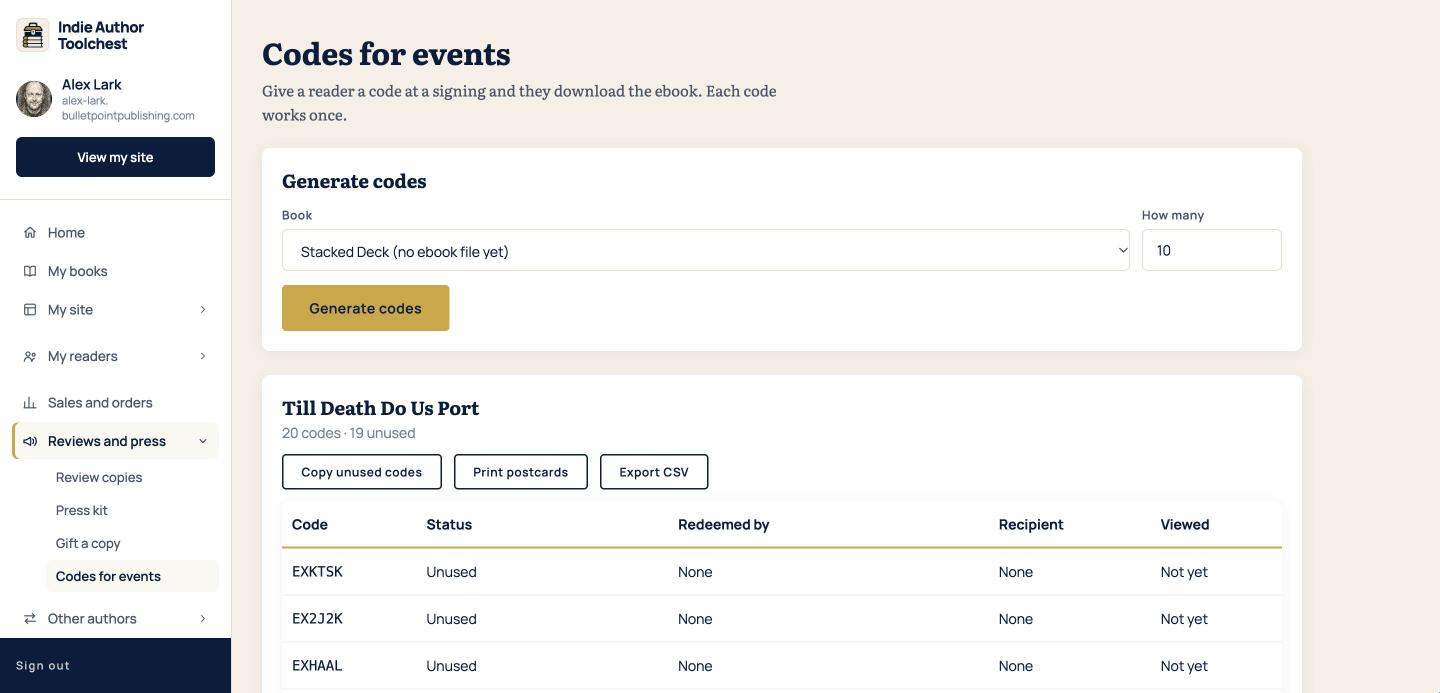
The postcard sends readers to Amazon, where the book is on sale. That is the way to hand out a book at an event while it is in Select.
What the tick box leaves to you
The tick box is a reminder. It does not stop you selling or gifting the book, and it does not switch off any other part of the Toolchest by itself. You are the one who decides what to turn off.
Go through the places where your ebook file can reach a reader from your own site:
- How readers get this book. The ebook choice on the book form decides whether readers pay you or go to Amazon.
- Codes for events. Each code works once and hands the reader the ebook file.
- Gift a copy. Our help article advises checking Amazon's rules before you gift the ebook of a book in Select.
- Your reader magnet. A free file for subscribers counts as giving a file away, according to the lesson, so choose a file that is not your enrolled ebook.
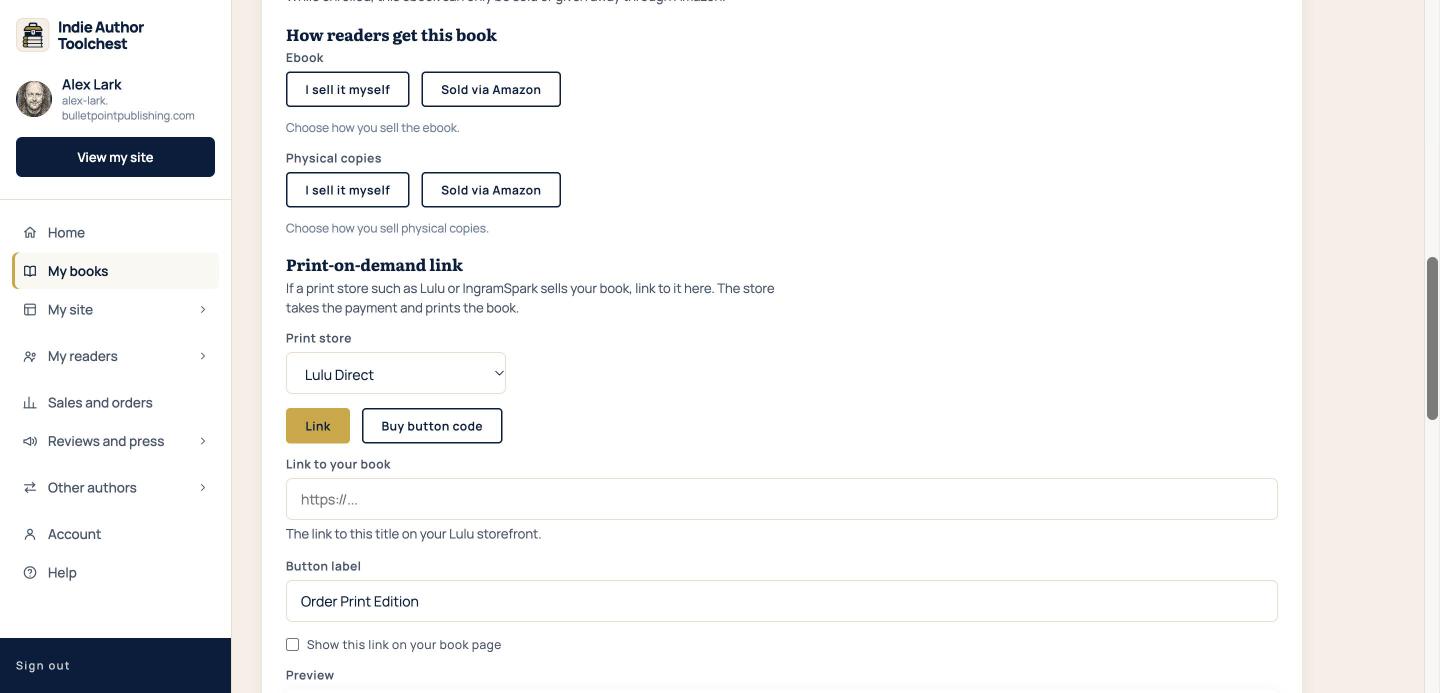
The ebook and the physical copies have their own choices, so you can send ebook readers to Amazon and still offer paperbacks. Link readers to their own Amazon store shows how to set the Amazon choice.
When your enrolment ends
Open the book again, untick Enrolled in Kindle Direct Publishing Select and select Save book. The warning on Codes for events goes away for that book. The lesson on exclusivity explains how to time a move out of Select, so check the dates in your KDP account before you open your own shop.
Good to know
The tick box only records what you tell it. It does not read your KDP account, so it is your job to keep it up to date and to tick it for each book you enrol.
Next step
Review copies are a good way to build early reviews for a book in Select, and Hand out review copies before your book launch shows how.
You can try all of this free for 14 days. Start with the Indie Author Toolchest.
Run it all from one place
Author page, direct sales, reader list, review copies and press kit, built from one ASIN. Free for 14 days, no card.
Start your free trial