
Gift an ebook to a reader by email
Send a free copy of your ebook to one reader by email with a personal note, using Gift a copy in the Indie Author Toolchest, and see when they open and redeem it.
By the end of this guide you will have sent a free ebook to one reader by email, with a note from you. It suits a thank you to a reader who reviewed your last book, or a copy for someone who might talk about your work.
Gifting switches on when you subscribe, at $12.99 a month or $120 a year. During your 14 day free trial the Send gift button is replaced by a note saying it switches on when you subscribe, and the rest of the screen is there to look at.
Send a gift
- Select Reviews and press in the menu on the left, then Gift a copy.
- In Book, choose the book. A book without an ebook file shows no ebook file yet after its title and cannot be chosen, so upload the file under My books first.
- Type the reader's address in Recipient email.
- Add a Note (optional), such as a thank you in your own words.
- Select Send gift.
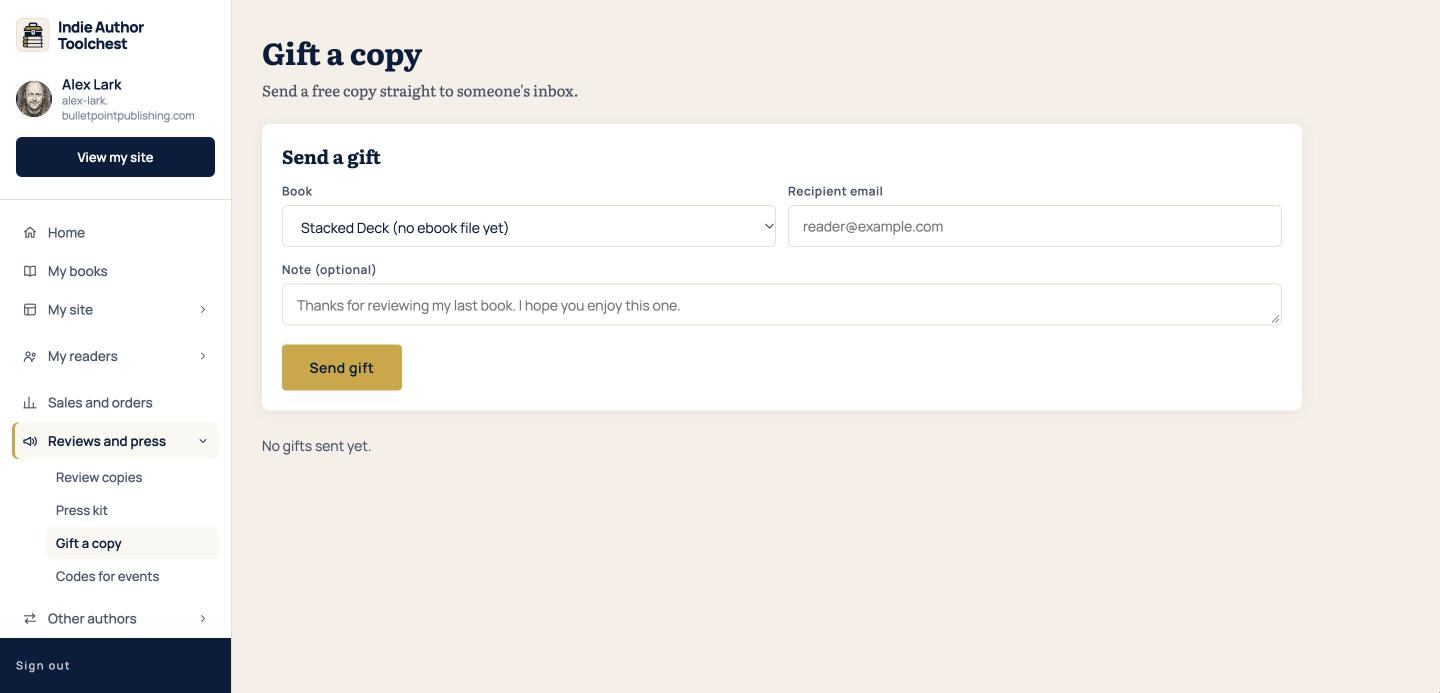
The page says No gifts sent yet until you send your first one. After that, every gift is listed in a table.
What the reader receives
The reader gets an email with the subject A gift copy of and your book title. It shows your note, or a short line saying they have been sent a copy of your book by you if you left the note empty. Below that is a button with Get and the book title on it, and a line saying the code works once.
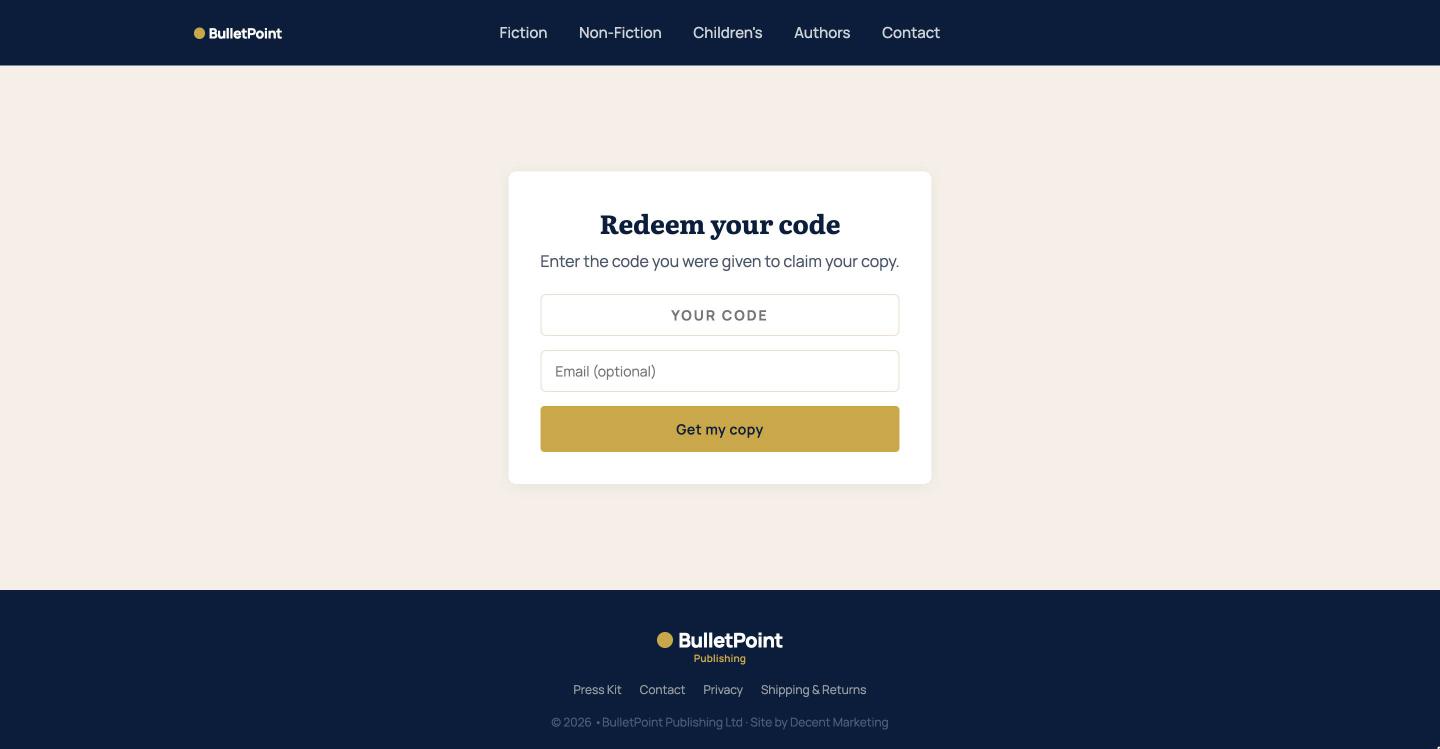
The button opens a Redeem your code page with the code already filled in. The reader can add an email address if they like, then selects Get my copy and downloads the book. The download links on that page work for 14 days.
See what happened to each gift
The table on Gift a copy has the columns Book, Recipient, Sent, Opened and Redeemed. Opened fills in when the reader first visits the redeem page, and Redeemed fills in when they download the book. A blank date means it has not happened yet.
A gift is the quickest way to say thank you to a reader. Pick a book, add two lines in your own voice and send it. The reader sees your name on the note and can download the book straight away.
Good to know
- You can send up to 50 gifts a day.
- Each gift code works once, so a forwarded email cannot be used by a second person once the first has claimed it.
- If the book is in KDP Select, check Amazon's rules before you give the ebook away.
For wording that gets a reply, our review request email templates include notes you can borrow for the gift message.
Next step
Think of one reader who deserves a thank you and send them a copy. If you want to hand out many copies at once, the guide to printed codes covers codes for events.
You can try all of this free for 14 days. Start with the Indie Author Toolchest.
Run it all from one place
Author page, direct sales, reader list, review copies and press kit, built from one ASIN. Free for 14 days, no card.
Start your free trial