
Hand out review copies before your book launch
Offer free review copies in the Indie Author Toolchest: share one link, approve each reviewer, and let reminders go out for you before launch day.
By the end of this guide you will be able to offer free early copies of your book to reviewers, share a single link, choose who gets a copy and mark each review as it arrives, without emailing a file yourself. Early reviews are what a launch week leans on, and this takes the chasing out of it.
Upload the ebook file for the book first, under My books. Reviewers cannot be sent their copy until the file is there. Review copies work during your 14 day free trial.
Start an offer
- Sign in and select Reviews and press in the menu on the left, then Review copies.
- In the Offer review copies form, pick your book from Book.
- In Number of copies, enter how many copies you will give out. The box starts at 50.
- If you want an end date, choose one in Closing date (optional).
- In Notes for reviewers (optional), add a line or two, such as when the book comes out and where you would like the review posted.
- Select Start.
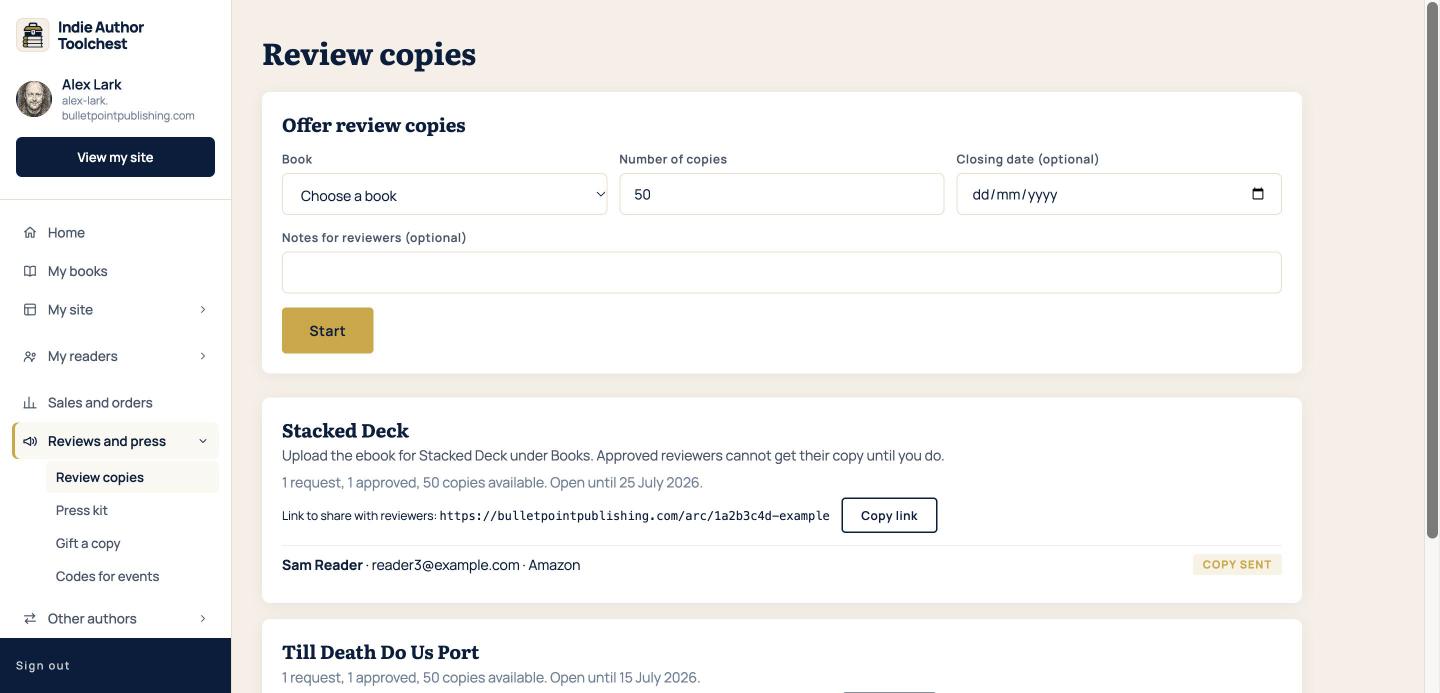
Each book you offer gets its own card underneath, showing how many requests and approvals it has and how many copies are left. If the ebook file is missing, the card says so.
Share your link
- On the book's card, find Link to share with reviewers.
- Select Copy link.
- Paste it wherever you reach reviewers: your review team, a newsletter, a social media post or an email.
A reviewer who opens the link gives their name and email address, and can say where they usually post reviews. They select Request Review Copy. A tick box lets them join your reader list at the same time, and they confirm that by email like any other subscriber. If you need words for the ask, our review request email templates are ready to copy.
Approve requests and send copies
Every request waits for you. Nothing is sent until you say so, which keeps the copies with people you chose.
- Find the reviewer on the book's card. You see their name, email address and where they post.
- Select Approve and send to email them their copy, or Decline.
- Once they have posted their review, select Mark reviewed next to their name.
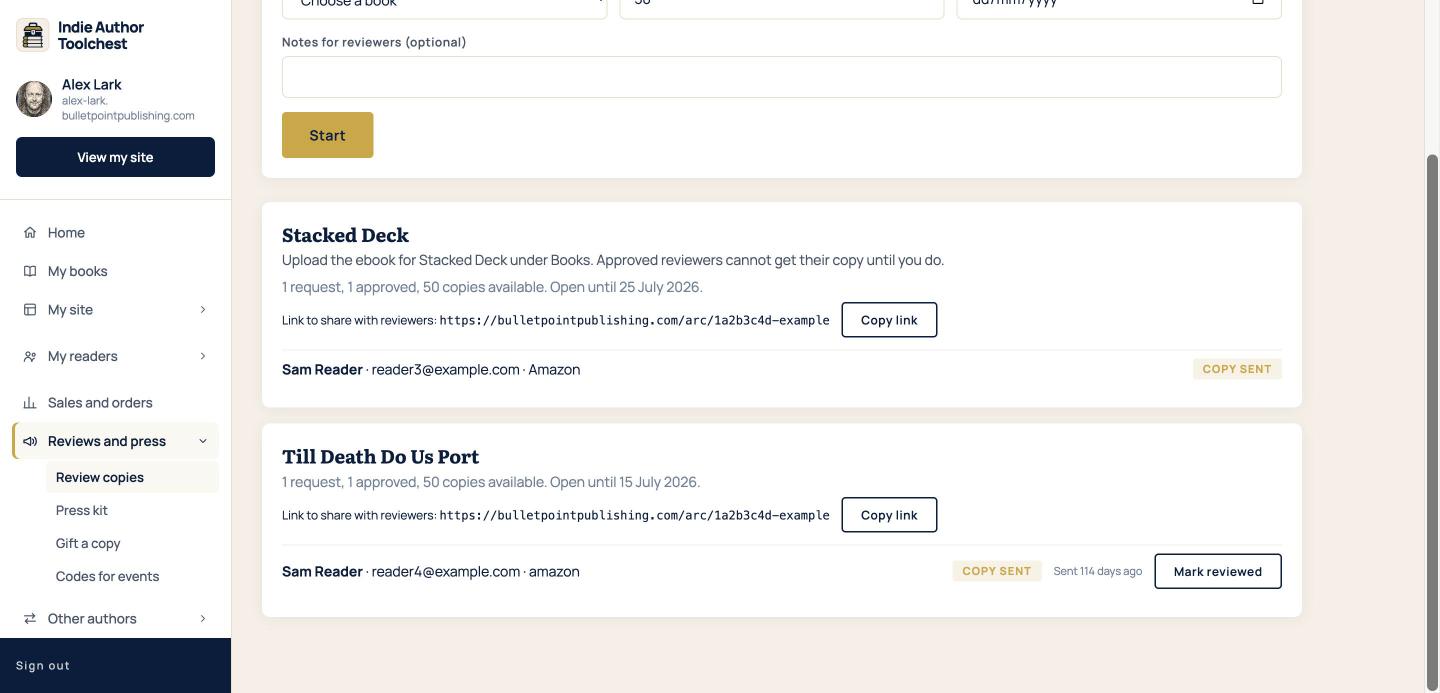
A sent copy shows a Copy sent label and how long ago it went out. When you select Mark reviewed, the reviewer gets a thank-you email.
What reviewers are sent
An approved reviewer receives an email with a link to download your ebook. The link works for 14 days from the day it is sent. Each copy carries the reviewer's name, so a copy that turns up somewhere it should not can be traced back to them.
You do not have to remind anyone. The Toolchest emails each reviewer a reminder 10 days after they receive their copy, and emails them again on release day.
Good to know
Each card shows how many copies are still available. Sending a review copy to a journalist or blogger is a separate tool under Press kit, and it switches on when you subscribe, at $12.99 a month or $120 a year. Review copies from this page work all through your free trial.
For how many reviewers to invite and how to keep copies from leaking, our lesson on running a review team covers both.
Next step
If you are signing books at an event, you can hand out copies there too. Give away ebooks at events with printed codes shows how.
You can try all of this free for 14 days. Start with the Indie Author Toolchest.
Run it all from one place
Author page, direct sales, reader list, review copies and press kit, built from one ASIN. Free for 14 days, no card.
Start your free trial