
Make a QR code sign for your book table
Print a table postcard with your cover and a QR code that sends readers to your book on Amazon, in four sizes, from Codes for events in the Indie Author Toolchest.
By the end of this guide you will have a printable sign for your book table with your cover and a QR code, and a reader who scans it lands on your book on Amazon. You make it once and print it for every event.
It is called a table postcard. Table postcards work during your 14 day free trial.
Check your book qualifies
A book appears under Table postcards when it has a cover image and either an Amazon ASIN, an Amazon link or an audiobook turned on. Select My books, then Edit, to add what is missing. A book that does not appear is missing one of those.
Make the postcard
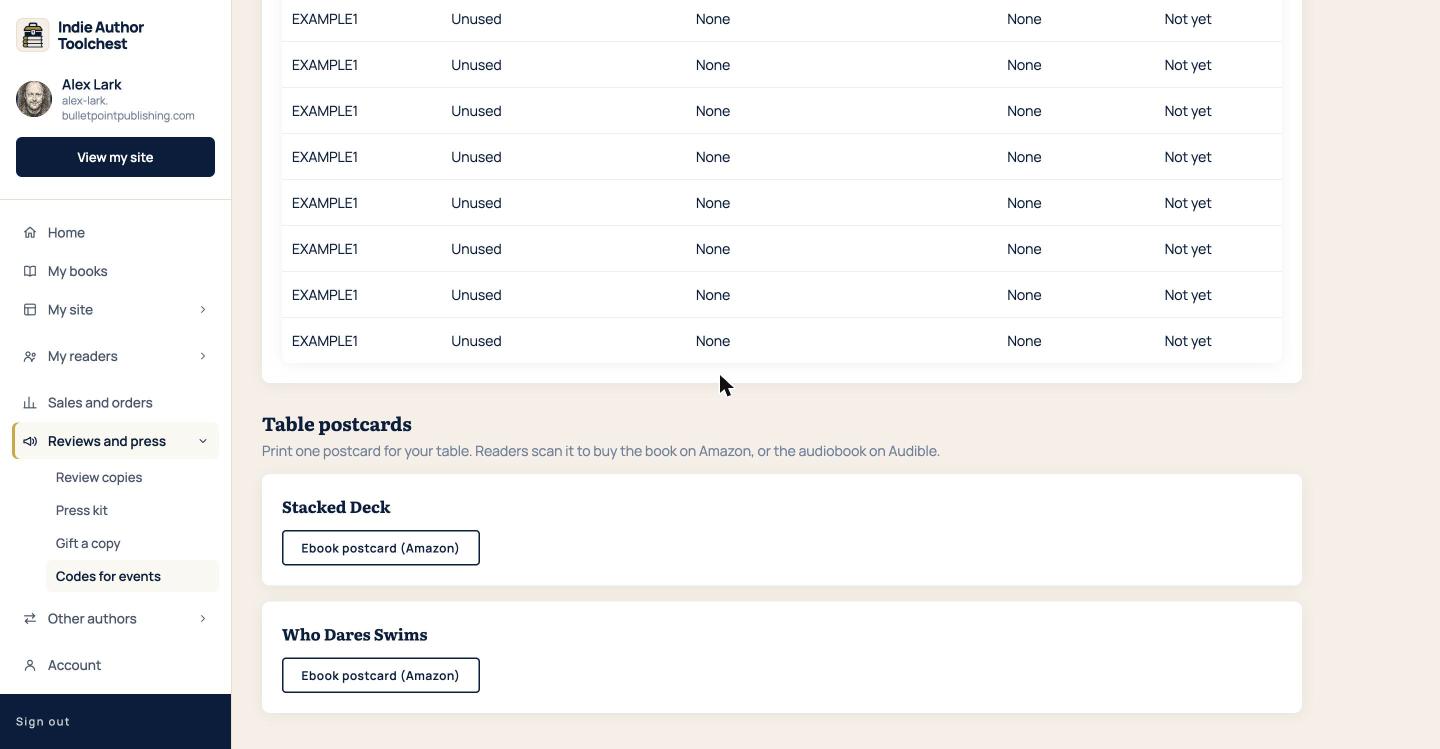
- Select Reviews and press in the menu on the left, then Codes for events.
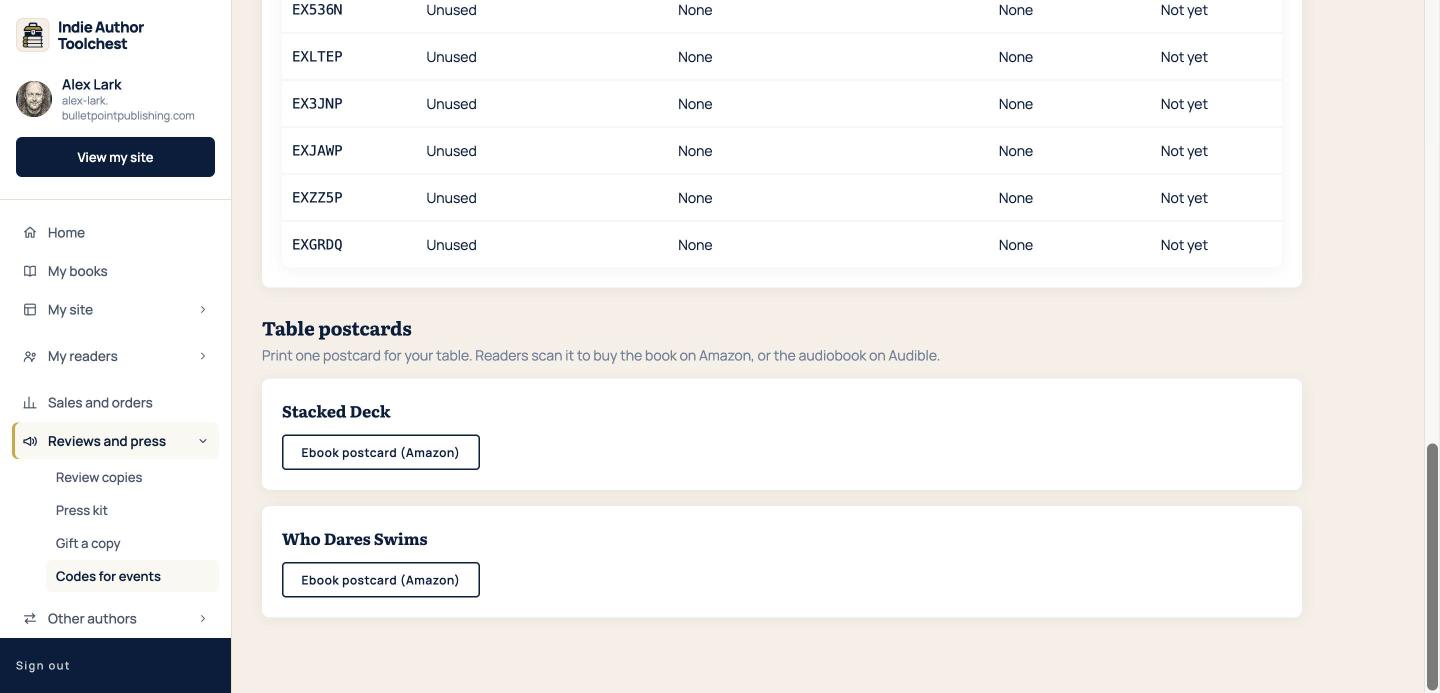
- Scroll to Table postcards. Each qualifying book has its own box.
- Under your book, select Ebook postcard (Amazon). A book with an audiobook turned on also has an Audiobook postcard button, which sends readers to Audible.
- A preview opens. Choose a size from 6×4in postcard, A5, 5×7in and A4.
- Select the download button, which names the size you chose, then print the PDF.
What the PDF holds
The PDF is one page. The ebook version carries the heading GET THE EBOOK ON AMAZON, your cover, your book title and name, a QR code and the words Scan to buy on Amazon, with the web address printed underneath for anyone who prefers to type it. The audiobook version says LISTEN ON AUDIBLE and Scan to get the audiobook. The colours follow the look you chose for your site.
The 6×4in postcard is laid out sideways with the cover on the left and the QR code on the right. The larger sizes stack the heading, cover, title and QR code down the page, so A5 or A4 suits a stand or a frame, and the smaller card suits a pile on the table.
Good to know
- You can print the same postcard as many times as you like. The QR code stays the same.
- Readers pay Amazon directly.
- If you added your own Amazon Associates ID on Profile and design, any commission is yours. If not, the postcard carries the Toolchest's ID.
If you also want to hand out free ebooks at the same table, the companion guide on printed download codes shows how. For ideas on what else sells at a table, read our lesson on selling signed paperbacks direct.
Where it works best
Stand the card against your books, or put a small pile of the 6×4in size beside the till so readers can take one home. The QR code opens the same Amazon page each time. Print a test copy first, because scanning a card at the size you will use shows you whether the code reads well in your venue.
Next step
Make the postcard for your newest book, print one copy on your own printer and scan it with your phone before the event. Then list the event on your website so readers know where to find you.
You can try all of this free for 14 days. Start with the Indie Author Toolchest.
Run it all from one place
Author page, direct sales, reader list, review copies and press kit, built from one ASIN. Free for 14 days, no card.
Start your free trial