
Make an author press kit page
Fill in your profile and books once and the Indie Author Toolchest builds a public press kit page with your photo, bio, praise and cover downloads.
By the end of this guide you will have a press kit page that journalists, podcasters and bookshops can open, with your photo, bio, praise and book covers ready to download. It builds itself from details you already keep in your dashboard.
What the page holds
The page shows your photo with a Download photo button, your name, your genre, the line under your name and a link to your public author page. Below that come your bio, any praise you have added and a Book covers section with a Download button under each cover. At the bottom, a Get in Touch button takes visitors to the contact page, for interviews and review copies.
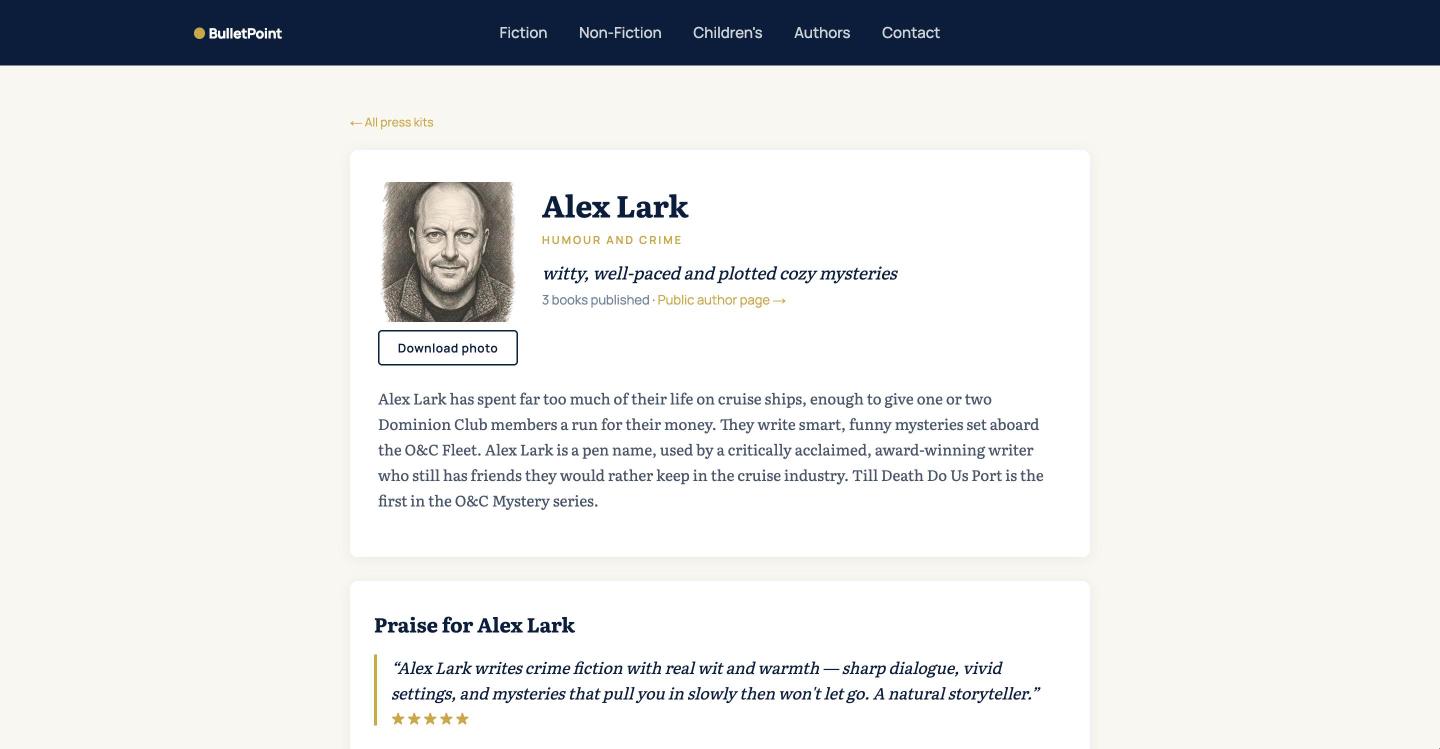
Every part of it comes from your profile and your books, so when you change them the page changes with them.
Fill in the details it uses
- Select My site in the menu on the left, then Profile and design.
- Under Profile and bio, fill in Public name, Genre, Line under your name and Bio. Leave a blank line between paragraphs of the bio.
- Under Photo and links, choose Choose file next to Author photo and pick a clear headshot.
- Under Praise and reviews, select Add review, write the quote in Review, add an Attribution and pick the Stars.
- Select Save changes at the bottom of the page.
If you have not written your bio yet, the guide to writing your author bio helps with that.
Add your covers
- Select My books, then select Edit on a book.
- Next to Cover image, choose a file at least 600 pixels wide.
- Set Status to Published or Coming soon, then save the book.
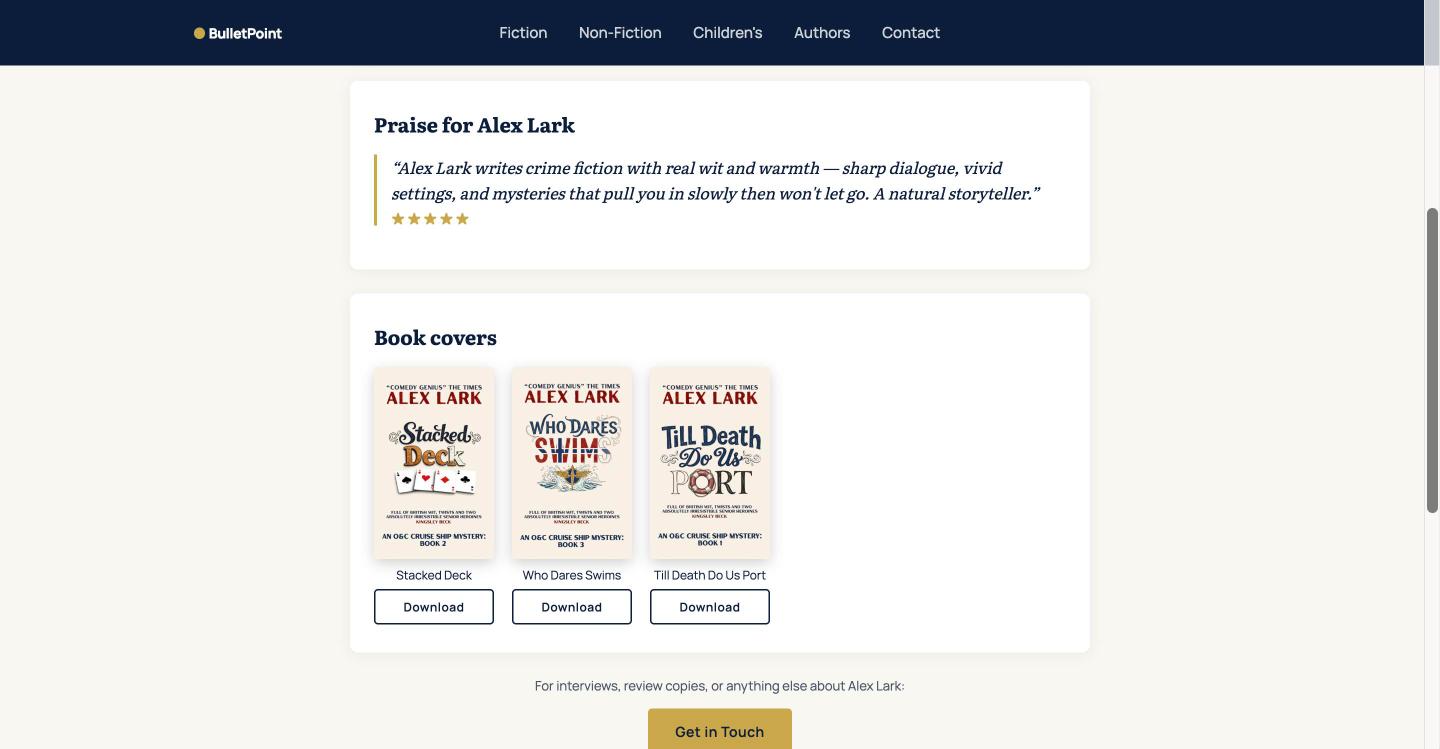
Only books that are Published or Coming soon appear, and only if they have a cover. A book still marked Draft stays off the page.
Find your link and share it
Your press kit page lives at bulletpointpublishing.com/media-kit/ followed by your name as it appears at the start of your site address. For example, a site at alex-lark.bulletpointpublishing.com has its press kit at bulletpointpublishing.com/media-kit/alex-lark. Open it in a new tab to check it, then put the link in your email signature, your social media bios and your messages to reviewers.
Add a press release
A press release for one of your books appears on the same page as a Download press release (PDF) button. Select Reviews and press, then Press kit, write the release for your book and tick Feature this book on my press kit page. Write a book press release as a PDF takes you through it.
Good to know
To appear in the list of press kits on the BulletPoint Publishing site, you need an author photo and at least one Published or Coming soon book with a cover.
For what else belongs in a press kit and who asks for each part, our lesson on what to include lists it.
Next step
With the page ready, you can offer a journalist or podcaster a copy of your book. Send a review copy to a journalist or podcaster shows how.
You can try all of this free for 14 days. Start with the Indie Author Toolchest.
Run it all from one place
Author page, direct sales, reader list, review copies and press kit, built from one ASIN. Free for 14 days, no card.
Start your free trial