
Write your author bio for your website
Fill in your public name, genre, the line under your name, your bio and your photo in the Indie Author Toolchest, and see where each one shows on your site.
By the end of this guide your author website will show your name, your genre, a line about your books, a bio and a photo, so a reader who lands on it knows who wrote the books they are looking at.
All of it lives on one screen, Profile and design. Nothing you type there is public until you save, and you can change any of it later.
Fill in the top of your profile
- In the dashboard menu, click My site, then Profile and design. The first box is headed Profile and bio.
- Type the name you publish under into Public name. This is the name readers see on your site.
- Type your category into Genre, for example Humour and Crime. It appears above your name.
- Write a short description of your books in Line under your name. It appears directly beneath your name.
- Write your story in Bio (leave a blank line between paragraphs). Press Enter twice between paragraphs, and each one shows as its own paragraph.
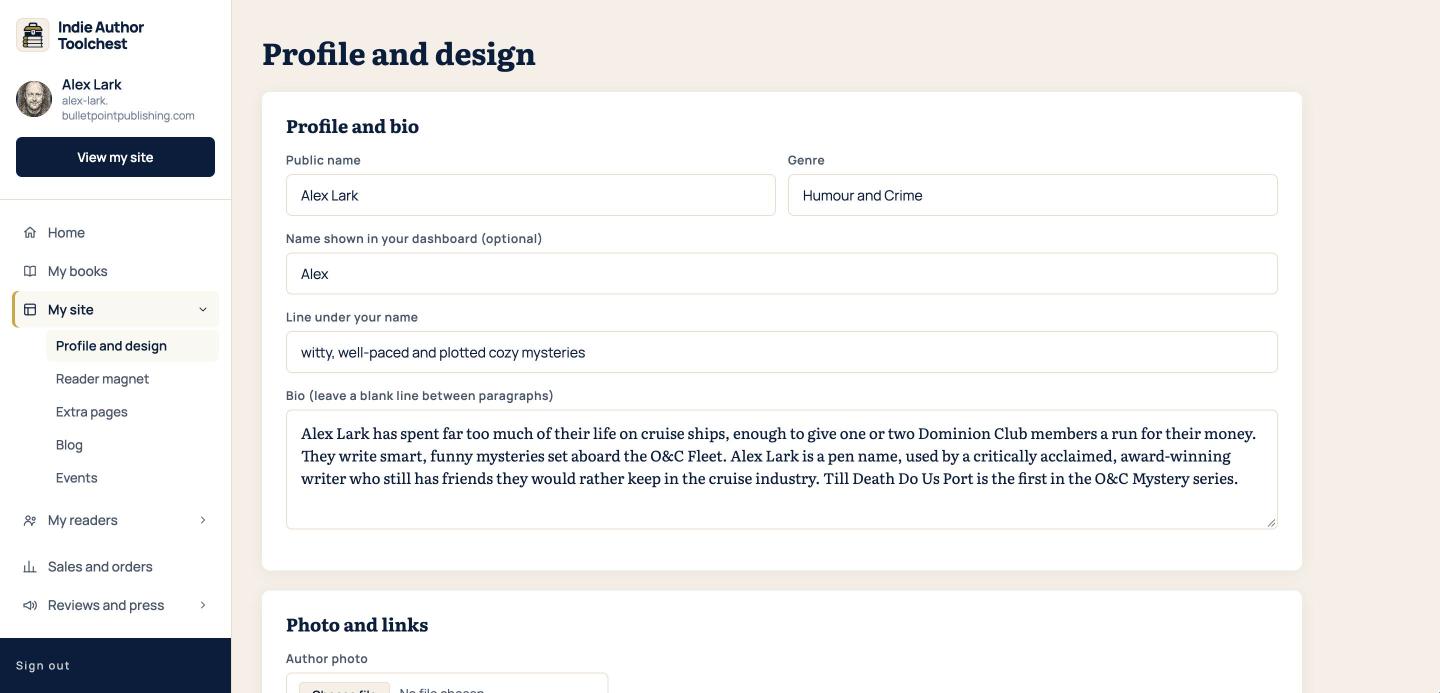
The field called Name shown in your dashboard (optional) is for you. It never appears on your site, so use it for a nickname or leave it empty.
If you are unsure what to put in the bio, our author bio templates at 50, 100 and 200 words give you a starting point at each length.
Add your photo
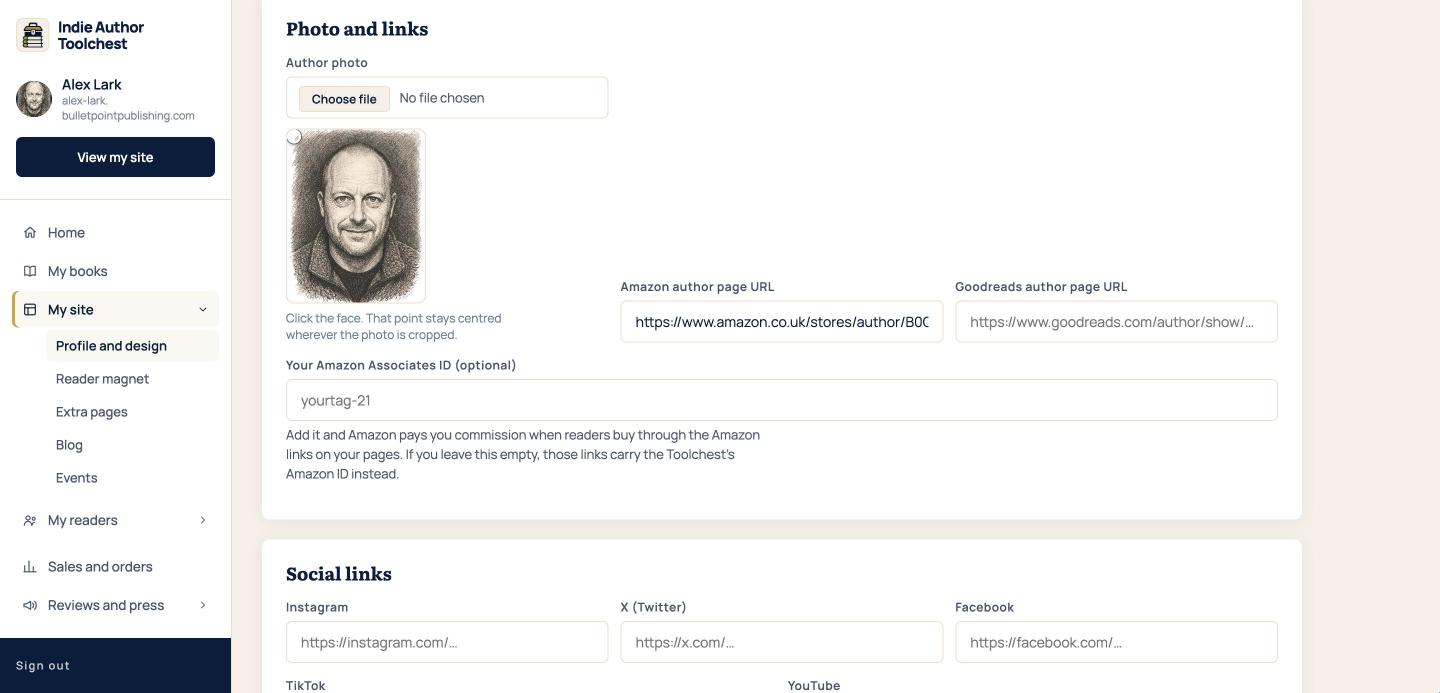
- Scroll down to the box headed Photo and links.
- Click Choose file beside Author photo and pick a picture of yourself.
- Click your face in the preview. That point stays centred wherever the photo is cropped, so your face stays in view on every layout.
- Scroll to the bottom and click Save changes.
Changes can take up to five minutes to appear on your site.
See where each part shows
Click View my site at the top of the menu. Your site opens in a new tab.
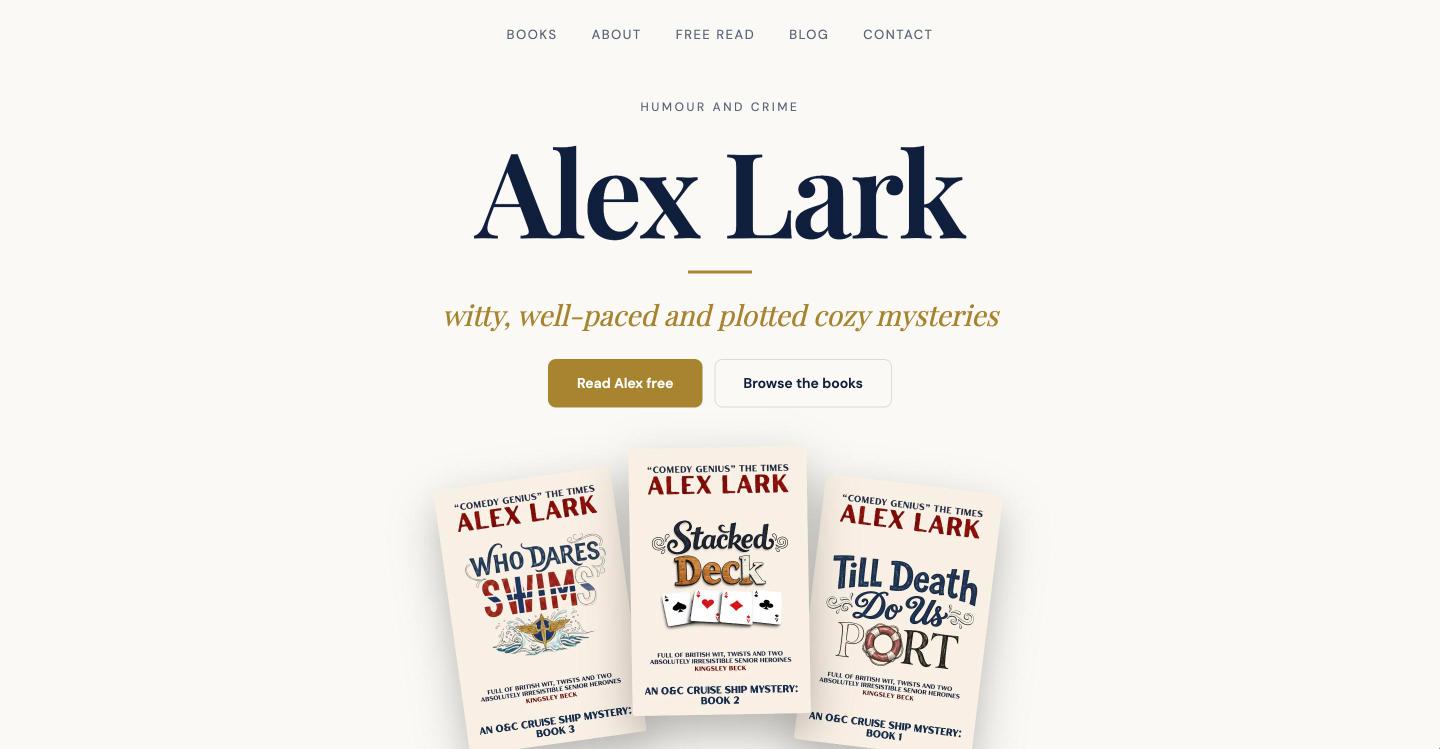
- Your genre, public name and the line under your name make up the heading at the top of your site.
- Your bio and photo appear together in the About section further down. The About link in the site menu shows up once you have written a bio.
- The search engine description for your site is taken from the first 155 characters of your bio, so put your most useful sentence first.
Your page on the BulletPoint Publishing site shows the same genre, name, line, bio and photo. The guide to your own site and your publisher page explains how the two pages relate.
Good to know
- A site with no bio has no About section.
- Your press kit page uses the same photo, genre, line and bio, so a change here updates it as well.
Your next step
Stay on Profile and design and add social links to your author website.
You can try all of this free for 14 days, with no card: start at the Indie Author Toolchest.
Run it all from one place
Author page, direct sales, reader list, review copies and press kit, built from one ASIN. Free for 14 days, no card.
Start your free trial