
Write a book press release as a PDF
Write a press release for your book in the Indie Author Toolchest and get it as a PDF on publisher letterhead that journalists can download from your press kit.
By the end of this guide you will have a press release for your book as a PDF on publisher letterhead, ready for journalists to download from your press kit page. You type the words and the Toolchest does the layout, so there is no design software to learn.
If you are not sure what a release should say, our book launch press release template gives you a structure to follow. Writing and saving the release works during your 14 day free trial.
Get the book ready
The PDF is made only for a book that is Published or Coming soon. Select My books, then Edit on the book, and check that Status is one of those two. A book still marked as a draft keeps its release saved, and the PDF appears once you change the status.
Write the press release
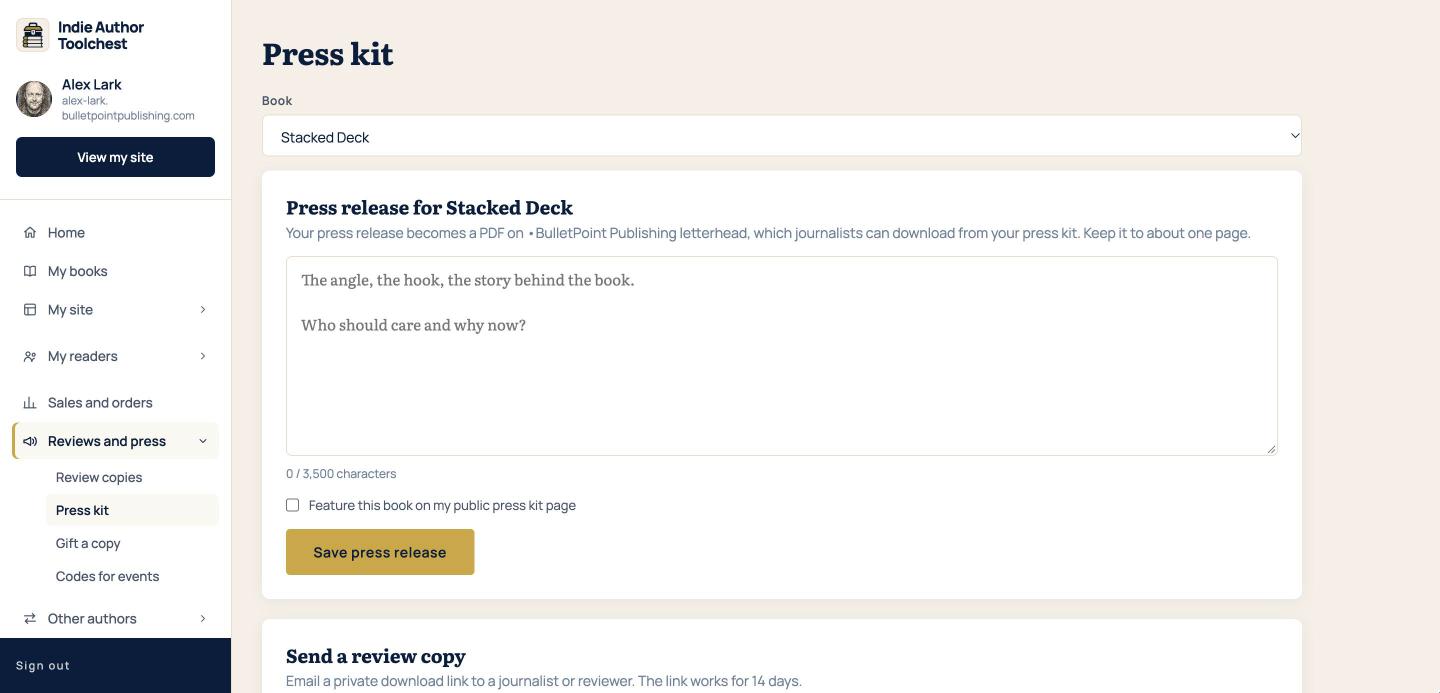
- Select Reviews and press in the menu on the left, then Press kit.
- In the Book list at the top, pick the book your release is about. The heading below changes to Press release for and your book title.
- Click in the large box and write your release. The prompt inside it asks for the angle, the hook and the story behind the book, and who should care and why now.
- Keep an eye on the counter under the box. It reads 0 / 3,500 characters when the box is empty, and the box stops accepting text at 3,500 characters. That is about one page, which is the length the screen suggests.
- Tick Feature this book on my public press kit page so journalists can find the release.
- Select Save press release.
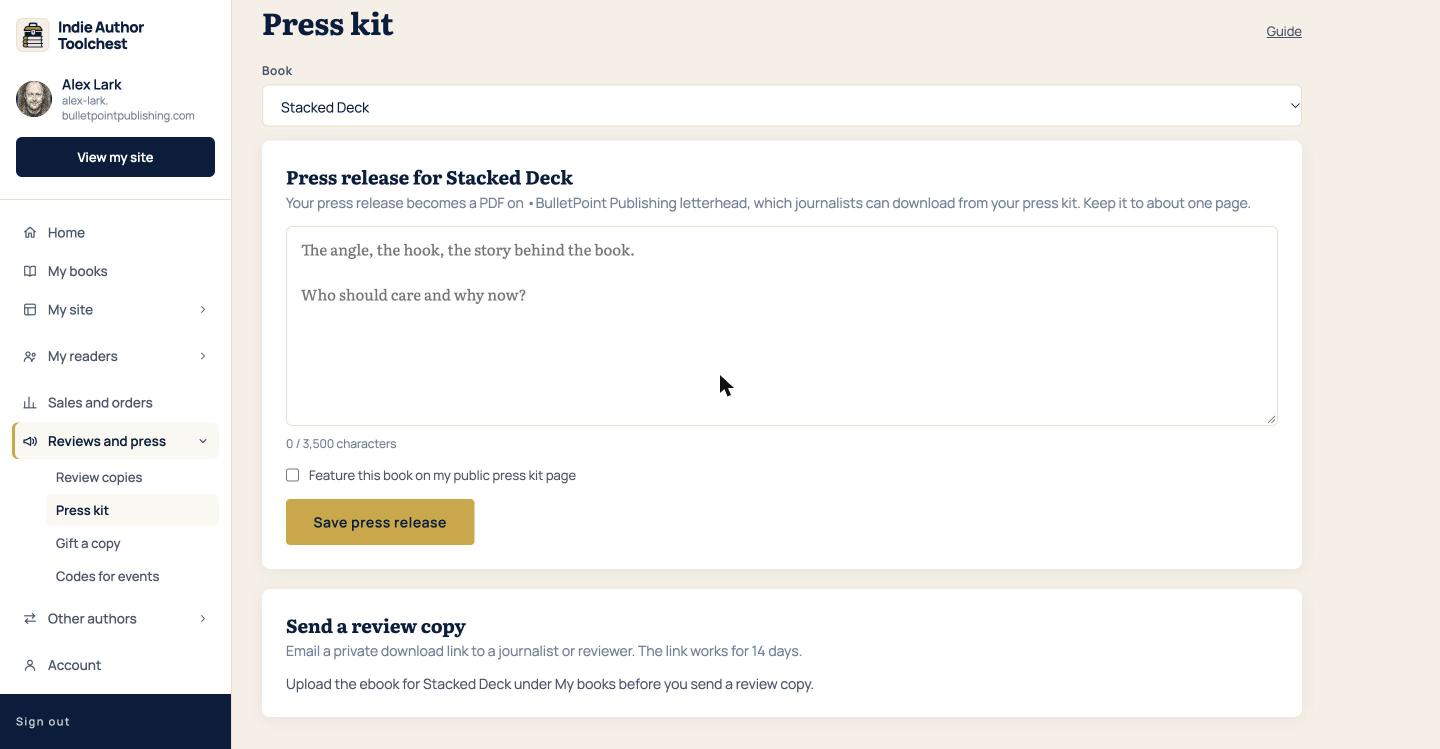
Each book has its own release. When you pick a different book in the list, the box shows that book's release.
Check the PDF
Once a release is saved for a Published or Coming soon book, a Preview PDF button appears next to Save press release. Select it and the PDF opens in a new tab, on BulletPoint Publishing letterhead with your book title and your name. If you saved a release for a book that is still a draft, the screen tells you that the PDF is available once the book is published or marked as coming soon, and the button is not shown.
If something reads badly in the PDF, go back to the box, change the text and select Save press release again. The PDF is rebuilt from your latest text each time it is opened.
Where journalists find it
Your public press kit page is at bulletpointpublishing.com/media-kit/yourname, with your own name in place of yourname. For every book with the feature box ticked and a release saved, the page shows a Download press release (PDF) button. The guide to making your press kit page shows the rest of the page, with your photo, bio, praise and covers.
Link to that page in emails to journalists and podcasters, so they can pick up the release and your photo without asking you.
Good to know
Sending a review copy to a journalist is the one press feature that switches on when you subscribe, at $12.99 a month or $120 a year. The press release and its PDF work in the trial. Keep the text inside 3,500 characters, because the box will not take more.
Next step
Open Reviews and press, then Press kit, and write the release for your next book. When a journalist replies, you can send them a review copy from the same screen.
You can try all of this free for 14 days. Start with the Indie Author Toolchest.
Run it all from one place
Author page, direct sales, reader list, review copies and press kit, built from one ASIN. Free for 14 days, no card.
Start your free trial