
Show reader reviews on your author website
Add praise and reader reviews in the Indie Author Toolchest, and see which ones show on your author site, publisher page, press kit and each book page.
By the end of this guide your author website shows a quote from a reader or reviewer near the top, your publisher page and press kit list all your praise, and each book page carries the reviews for that book. A few good words from other readers help a stranger decide to try your work.
Use real reviews, with the reviewer's permission or from a public source such as a review on your retailer page, and name where each one came from. This works during your 14 day free trial.
Add praise for you as an author
- Select My site in the menu on the left, then Profile and design.
- Scroll to Praise and reviews.
- Paste the review into Review. The box says you do not need quote marks, because the site adds them.
- In Attribution, say where it came from, such as Amazon review or the reviewer's name.
- Open Stars and choose from No rating up to 5 stars.
- Select Add review to open another set of boxes for your next review. Select Remove to take one away.
- Scroll to the bottom and select Save changes.
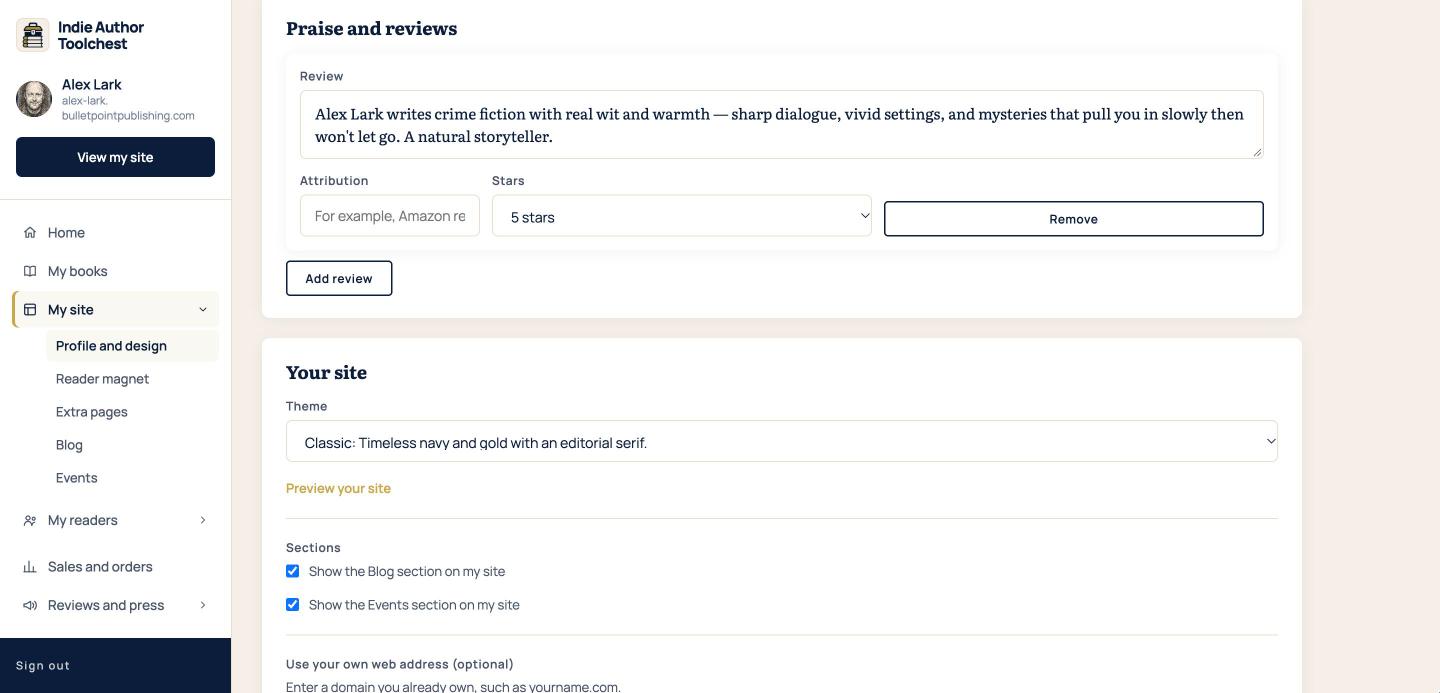
The review in the first set of boxes is the one that shows in a band just below the top of your author website, with its stars and attribution. Put your strongest review first. There is no limit on how many reviews you add.
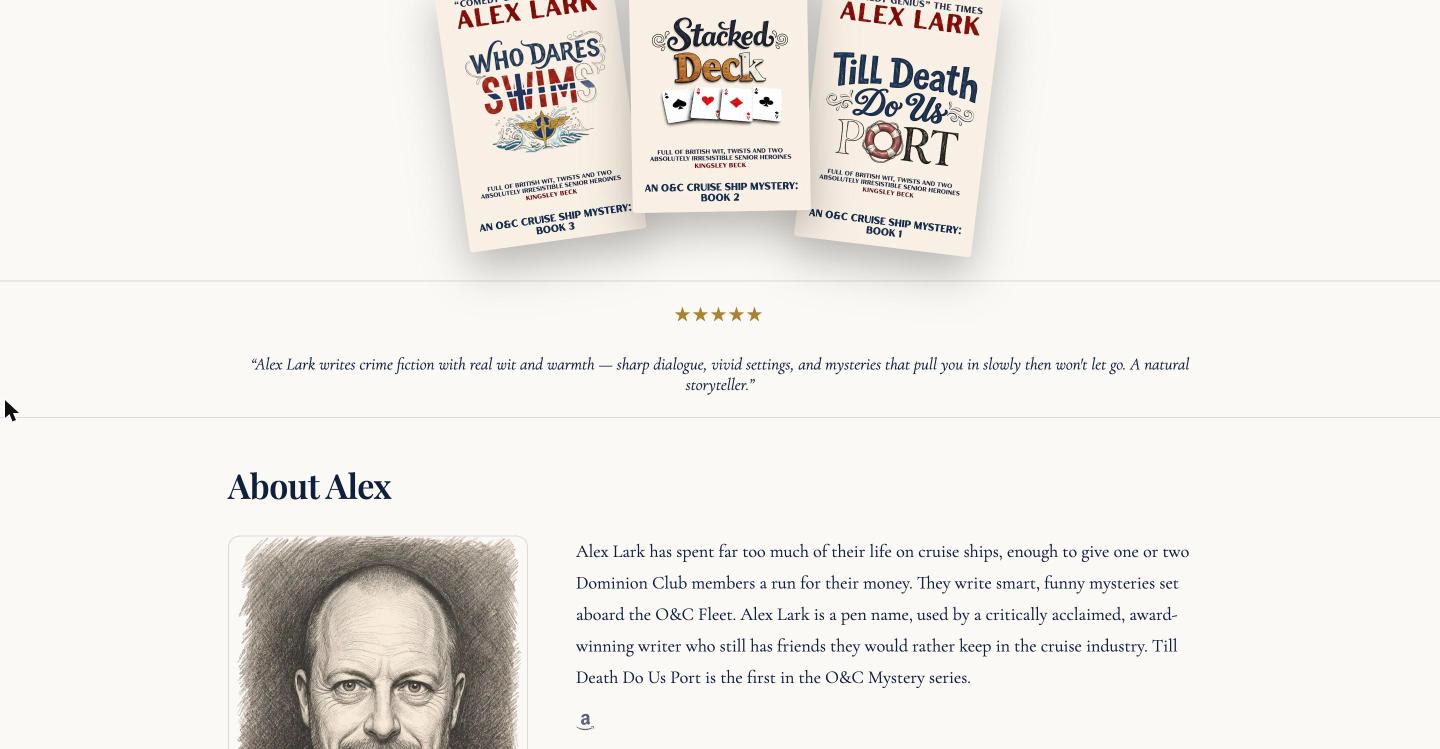
Where your praise shows
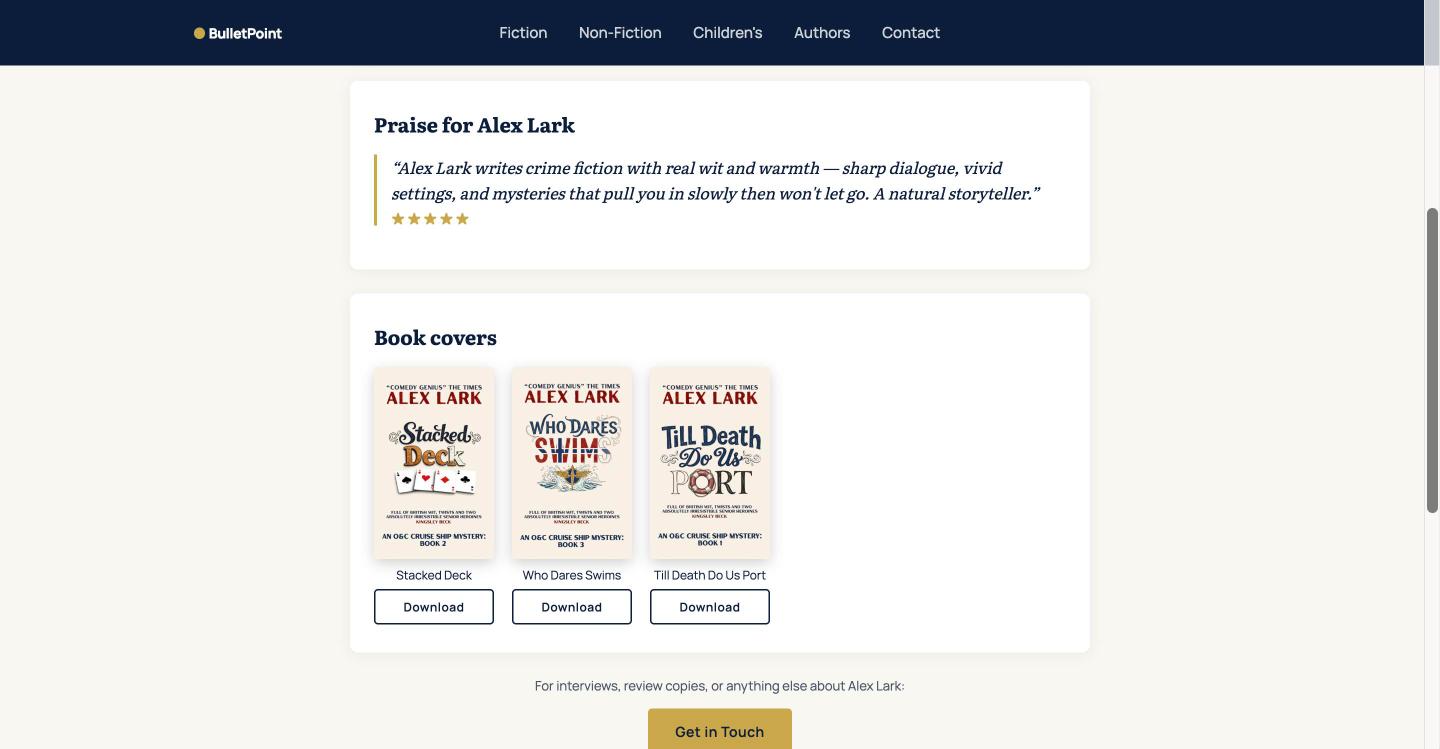
Your author website shows the first review only. Your publisher page on BulletPoint Publishing shows all of them, in a box under your bio. The public press kit page lists all of them too, under the heading Praise for your name, above your book covers. Journalists and podcasters read that page, so it is a good place for a review from a magazine or a blog.
Empty sets of boxes are dropped when you save, so a blank row does no harm.
Add reviews for one book
- Select My books and select Edit next to the book.
- Scroll to Praise and reviews for this book (optional). It sits below the blurb.
- Fill in Review, Attribution and Stars exactly as above, and select Add review for each extra one.
- Select Save book.
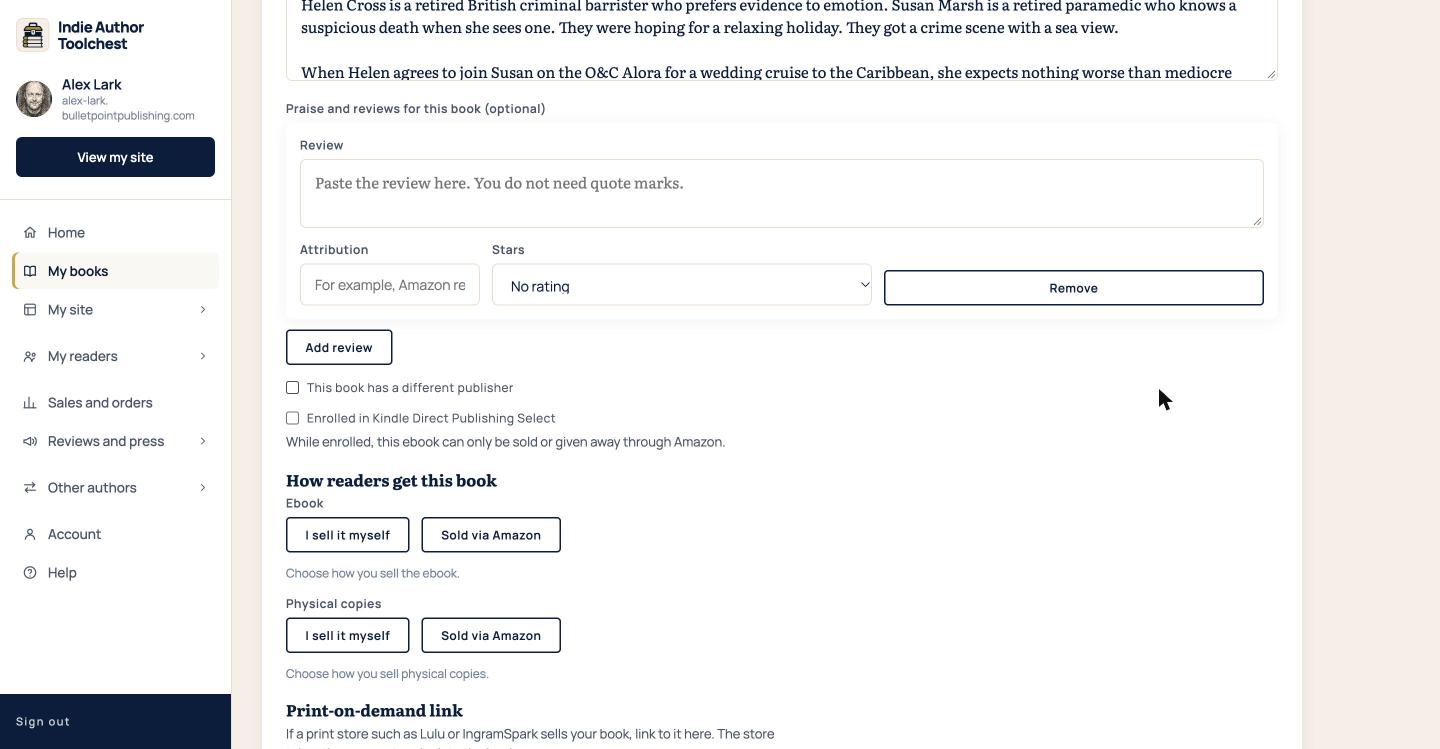
Every review you add here shows on that book's page, under the blurb, with its stars and attribution. If the book is featured on your press kit page, its reviews also appear with its press release there.
Good to know
Reviews show in full, so a short quote suits the band on your homepage best. A longer review in a later box still shows in full on your publisher page and your press kit.
Next step
If you have no reviews yet, our lesson on review request emails has wording to borrow, and Hand out review copies before your book launch shows how to send readers a copy. When you have some, read Add an extra page to your author website.
You can try all of this free for 14 days. Start with the Indie Author Toolchest.
Run it all from one place
Author page, direct sales, reader list, review copies and press kit, built from one ASIN. Free for 14 days, no card.
Start your free trial