
Add your audiobook to your book page
Tick the audiobook box on your book in the Indie Author Toolchest and add your Audible code or link, so your book page shows an Audiobook button.
By the end of this guide your book page will have an Audiobook button that takes listeners to your audiobook on Audible, so readers who prefer to listen can find it from the same page as your ebook and paperback.
You need your audiobook to be on sale on Audible already. If you have not chosen how to produce or distribute it, our lesson on audiobooks, ACX, Findaway Voices and the rights you keep explains the options. You can add the link during your 14 day free trial.
Find the audiobook tick box
- Sign in, select My books, then select Edit next to the book that has an audiobook.
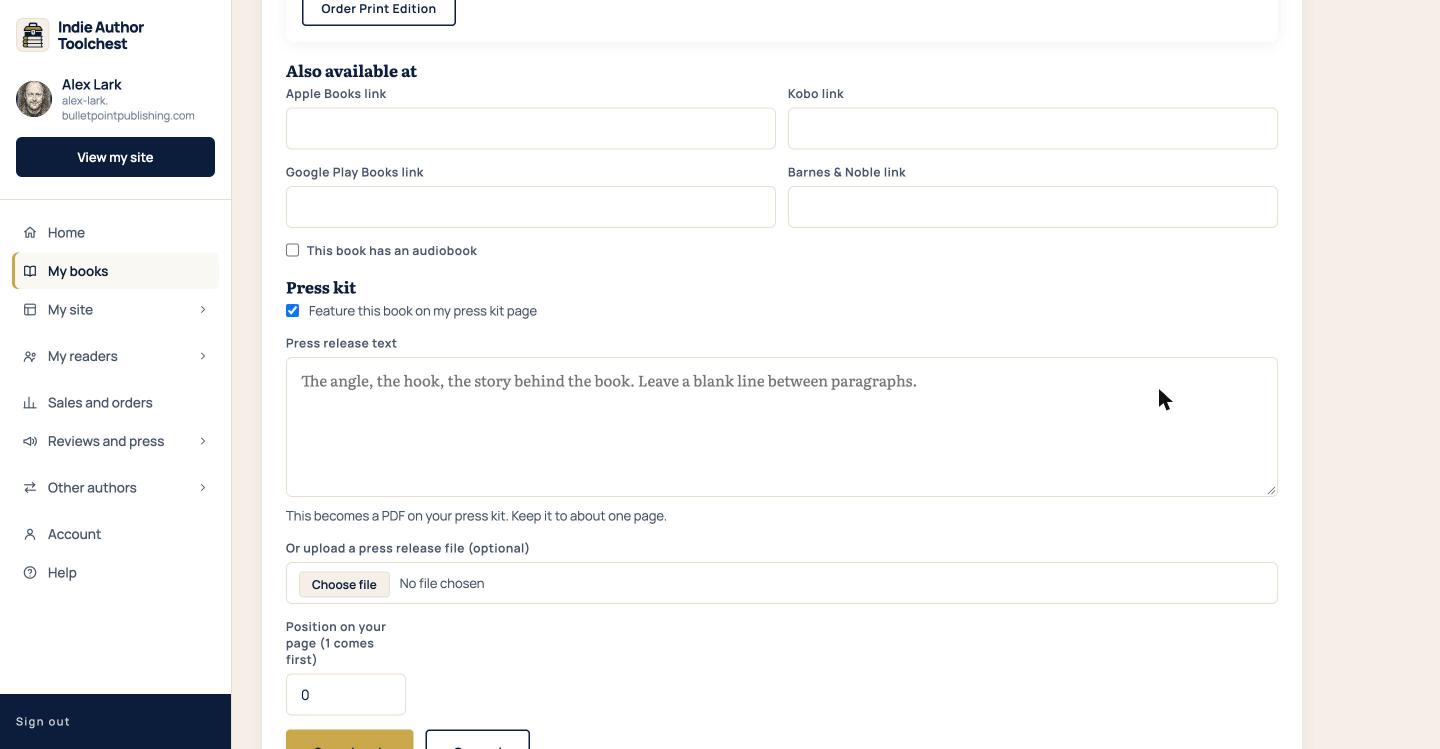
- Scroll down the form to Also available at. Below the four store link boxes is a tick box labelled This book has an audiobook.
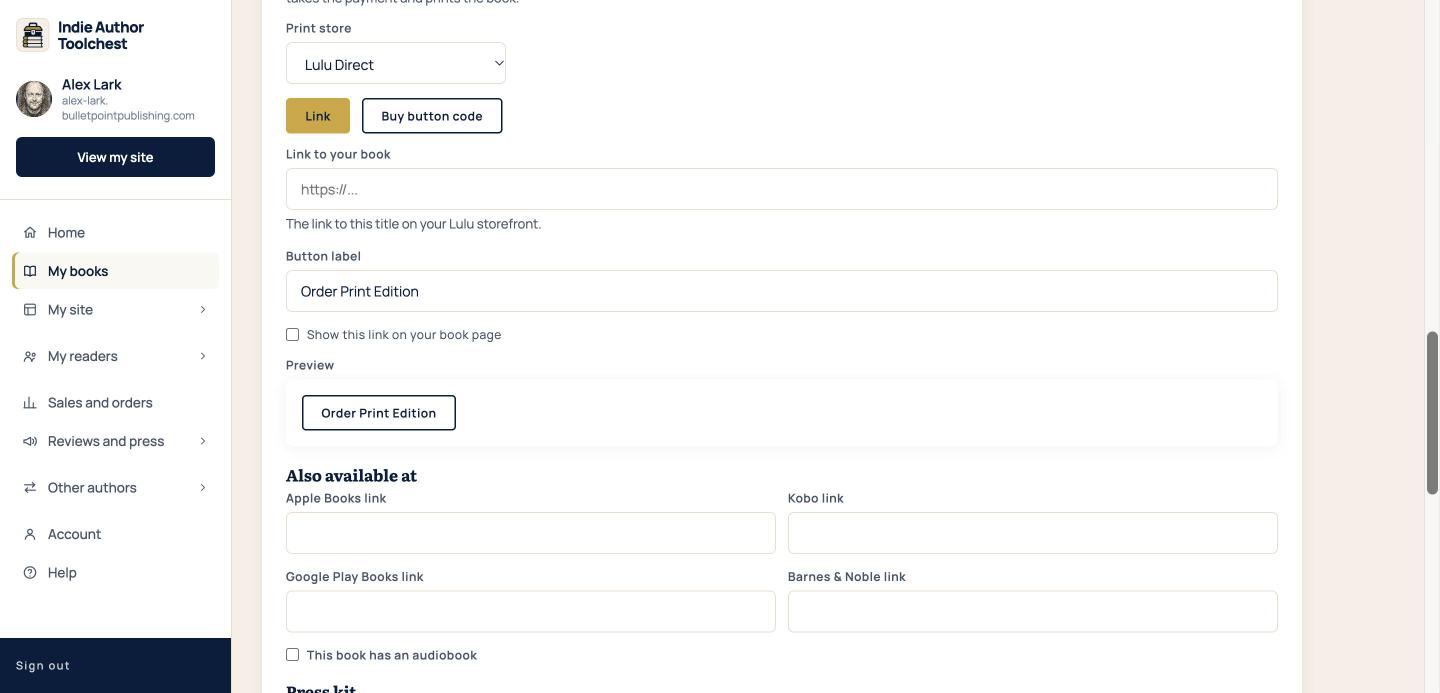
Add your Audible link
- Tick This book has an audiobook. Two new boxes open underneath it.
- If you have your audiobook's Audible code, type it into Audible code (ASIN). A code looks like B0ABC12345.
- If you would rather use a link, paste your audiobook's web address into Or the link to your audiobook.
- Select Save book at the bottom of the form.
Fill in one of the two boxes. When both are filled in, the code is used and the link is ignored.
See the button on your book page
Open your book from View my site and look at the row of buttons under the tagline. A book with an audiobook switched on and an Audible code or link filled in shows a button named Audiobook with a small audio icon. It opens Audible in a new tab.
The tick box and a code or link are both needed. The button appears when the box is ticked and one of the two Audible boxes is filled in, so you decide when it goes live.
Good to know
The Audiobook button, like the store buttons, shows only once the book is live. A book with its status set to Coming soon shows no audiobook button until you change the status to Published.
If you untick the box and save, the button comes off your page. The two Audible boxes close when you untick the box, so keep your code or link somewhere safe in case you want to add it again. Changes can take up to five minutes to show on the public page.
An audiobook has its own agreement, separate from the ebook. If your ebook is in KDP Select, the Audible link can still sit on the page, and our guide to selling direct while in KDP Select explains what that tick box does.
Next step
If your book also comes in print, read Offer print on demand copies from your book page. The stores for the ebook are in Link Apple Books, Kobo and other stores from your book page.
You can try all of this free for 14 days. Start with the Indie Author Toolchest.
Run it all from one place
Author page, direct sales, reader list, review copies and press kit, built from one ASIN. Free for 14 days, no card.
Start your free trial