
See and export your email subscribers
Read your subscriber totals in the Indie Author Toolchest, learn what yet to confirm means, and export your whole mailing list as a CSV file in two clicks.
By the end of this guide you will be able to see everyone on your mailing list, tell how many of them can receive your emails, and download a copy of the whole list whenever you like. The copy is yours to keep, whichever email tool you use later.
Open your subscriber list
- Sign in and select My readers in the menu on the left.
- Select Subscribers.
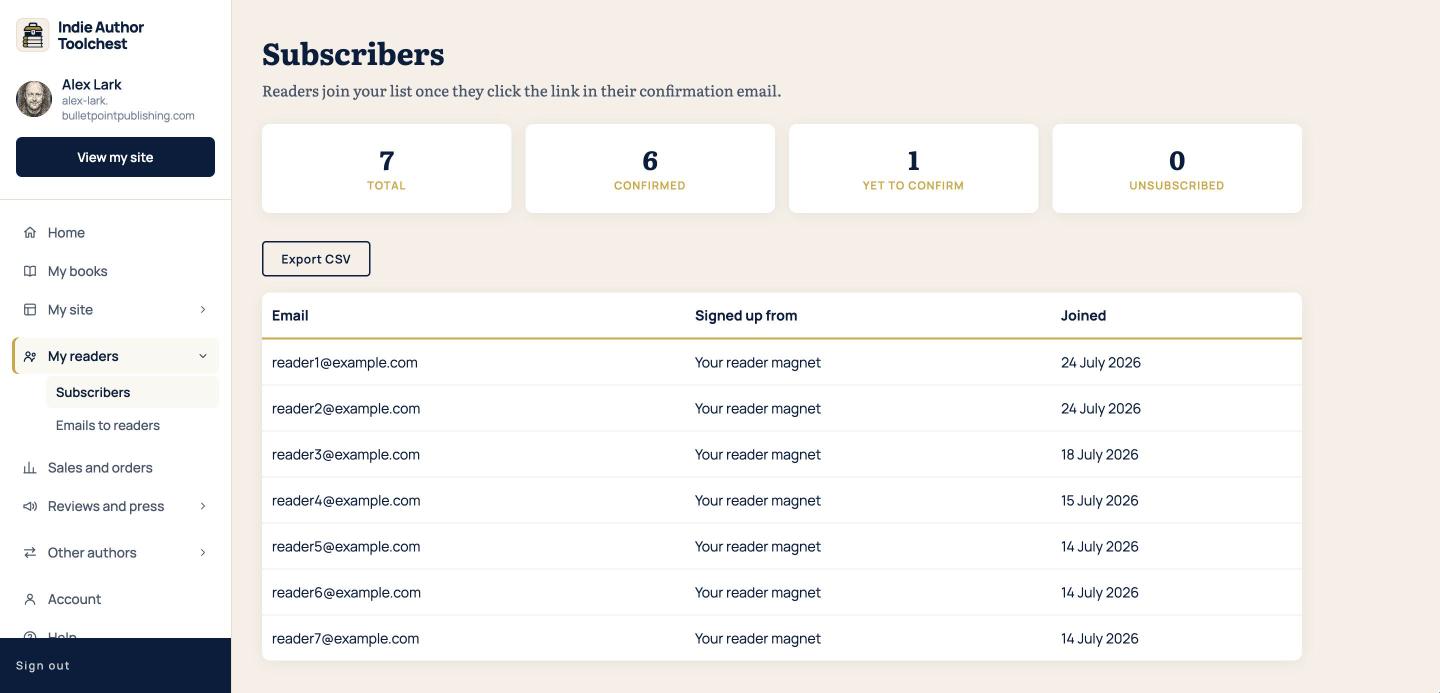
- Read the four boxes at the top: Total, Confirmed, Yet to confirm and Unsubscribed.
- Scroll down to the table. It lists each reader's email address, the place they signed up from and the date they joined.
The page starts empty until your first reader signs up. The guide on giving away a free chapter shows how to get that first sign-up.
What the four numbers mean
Total is everyone who has asked to join. Confirmed is everyone who clicked the link in their confirmation email, and only they receive your emails. Yet to confirm is everyone who asked to join but has not clicked that link yet. Unsubscribed is everyone who has left.
That is why Total can be higher than the number of readers you can email. A reader in Yet to confirm joins your list when they click their link, and you do not need to do anything with them. Every confirmed reader has chosen to hear from you.
The column Signed up from tells you which form brought each reader in. In the screenshot every reader came from the reader magnet.
Export your list
- On the Subscribers page, select Export CSV.
- Open the downloaded file in a spreadsheet program such as Excel, Numbers or Google Sheets.
Export a copy now and then and keep it somewhere safe. You will also need the file if you move to another email tool and want to bring your readers with you.
Email your confirmed readers
When you want to write to your list, the page is next door. Emailing switches on when you subscribe, at $12.99 a month or $120 a year. Everything on this page works during your 14 day free trial.
- Select My readers, then Emails to readers.
- Check the line under the heading. It tells you how many subscribers will get your next email, and it matches your Confirmed number.
- Type a Subject and write your Message in plain text.
- Select Preview before sending and read it through.
- Select Send.
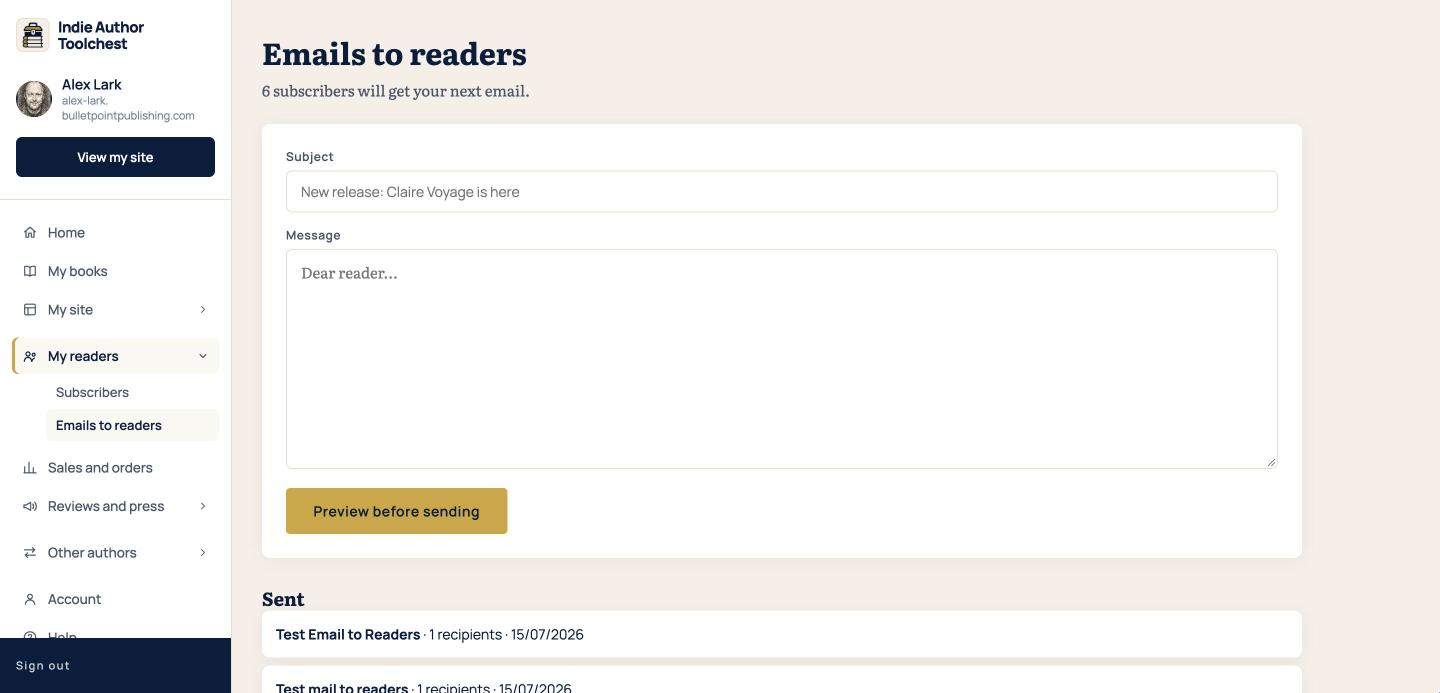
Your email goes to every confirmed subscriber straight away. Anyone who has unsubscribed, or never confirmed, is left out for you, and every email carries an unsubscribe link that is added automatically. Emails send as soon as you select Send, so use the preview every time. If you are not sure what to say, our lesson on the first six emails to send gives you a running order.
Good to know
The Subscribers page is a read-only list. You read it and export it, and readers join through your sign-up forms. The page does not let you add readers by hand or import a list.
Next step
Once your list is growing, give early readers a reason to talk about your book. Hand out review copies before your book launch shows how to share one link and approve reviewers.
You can try all of this free for 14 days. Start with the Indie Author Toolchest.
Run it all from one place
Author page, direct sales, reader list, review copies and press kit, built from one ASIN. Free for 14 days, no card.
Start your free trial