
Email your readers about a new book
Write an email to your confirmed subscribers in the Indie Author Toolchest, preview it, send it and find it in your Sent list, with the daily limit explained.
By the end of this guide you will be able to write an email to your confirmed subscribers, check how it will look and send it from your dashboard. It is the quickest way to tell the readers who joined your list that your new book is out.
Emailing switches on when you subscribe, at $12.99 a month or $120 a year. During your 14 day free trial the page says so, and you can keep collecting subscribers until you are ready.
Check who will get it
- Sign in and select My readers in the menu on the left.
- Select Emails to readers.
- Read the line under the heading. It says how many subscribers will get your next email.
That number matches the Confirmed box on your Subscribers page. Readers join your list only after they click the link in their confirmation email, so only confirmed readers are counted, and anyone who has unsubscribed is left out. If the number is zero, Preview before sending stays switched off until your first reader confirms. The guide to your subscriber list explains each total, and giving away a free chapter is a good way to get the first sign-ups.
Write the email
- Click into Subject and type a subject that names your book and says what has happened. The grey example in the box shows the idea.
- Click into Message and write your email. The box starts with the words "Dear reader" in grey, which you replace with your own greeting.
- Start a new line for each paragraph. Every line you type becomes its own paragraph in the email.
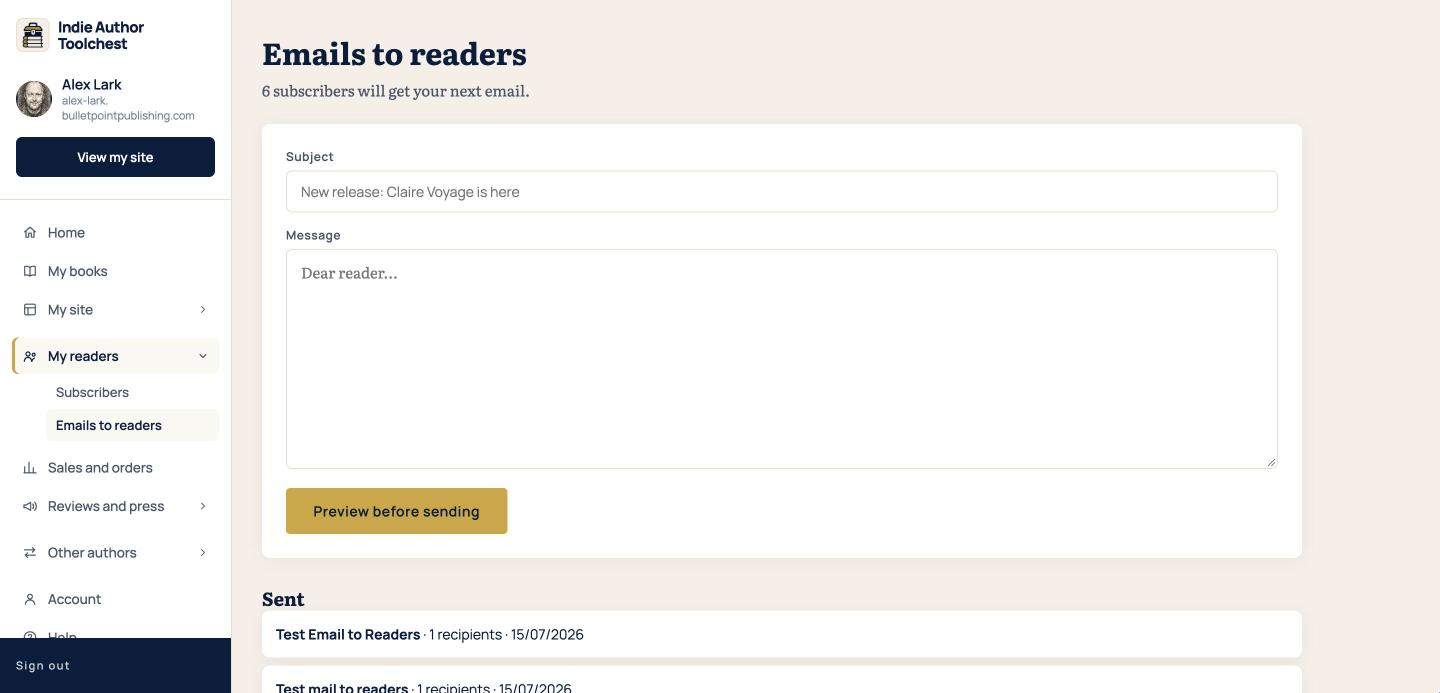
The email is plain text, so write out the full web address of your book page for readers to find. If you are unsure what to say, our lesson on the first six emails to send gives you a running order.
Preview and send
- Select Preview before sending.
- Read the preview. It shows the email as your readers will see it, with the footer line and the unsubscribe link that are added for you.
- If anything needs changing, select Back to editing.
- When it reads well, select Send to followed by your number of subscribers.
- Confirm in the box that appears. The box says the send cannot be undone.
The email goes to every confirmed subscriber straight away. Read the preview twice before you confirm, because there is no way to call an email back.
See what you have sent
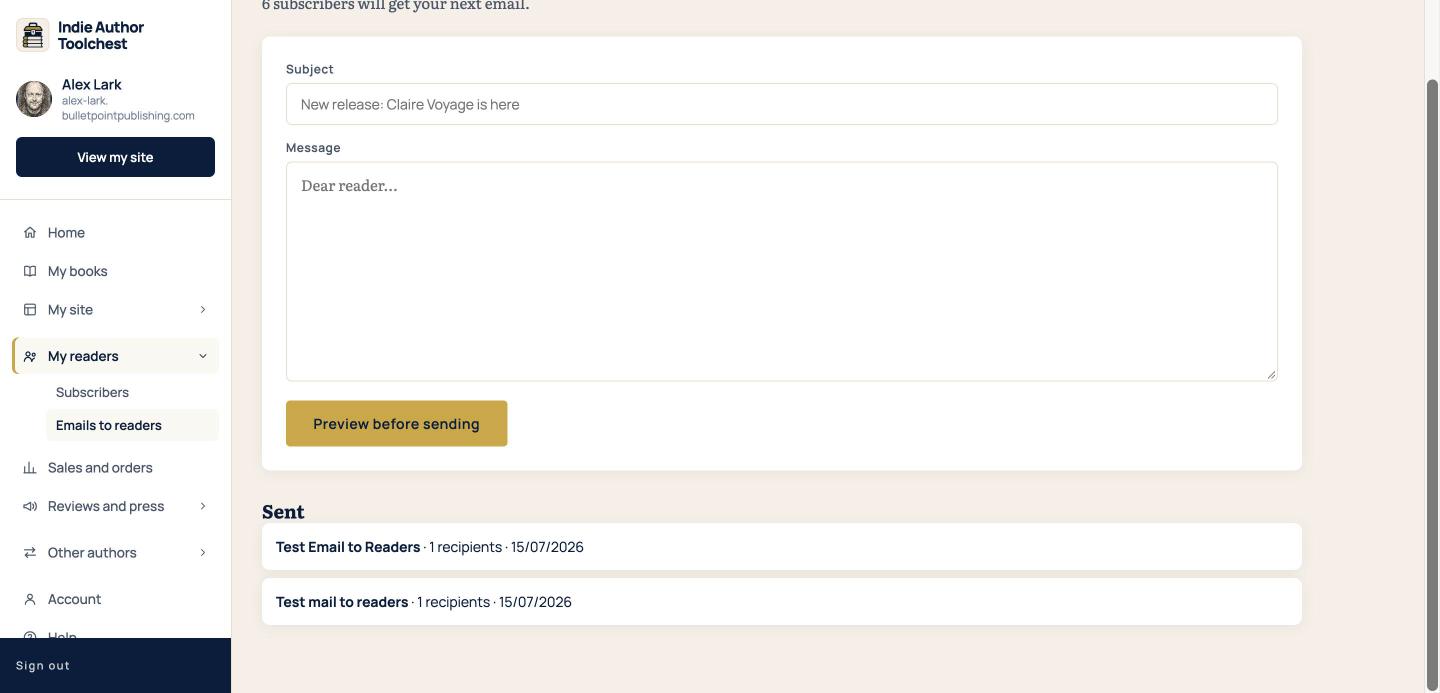
Each email you send is listed under Sent on the same page, with its subject, the number of recipients and the date. The list shows your 20 most recent emails.
Good to know
You can send up to 10 emails to your list in one day. If you reach that, send us a message under Help. The limit is far above what most authors send, so you are unlikely to meet it on launch day.
Because emails send the moment you confirm, write your launch email ahead of time and send it on the day you want readers to see it.
Next step
Readers now know about the book. Journalists and bloggers need somewhere to look it up. Make an author press kit page shows how to fill one in.
You can try all of this free for 14 days. Start with the Indie Author Toolchest.
Run it all from one place
Author page, direct sales, reader list, review copies and press kit, built from one ASIN. Free for 14 days, no card.
Start your free trial